
Video doorbells and security cameras deliver genuine peace of mind, capturing suspicious activity and helping you monitor your home remotely. However, as homeowners install these devices in growing numbers, legal risks have multiplied. A landmark court case in the UK resulted in one homeowner paying damages exceeding £100,000 after their camera inadvertently captured a neighbor’s property and conversations. The issue centers on privacy law, not just technology choice.
Understanding the legal landscape helps you protect your home without exposing yourself to costly disputes or regulatory fines. Here are seven practical steps to use your video doorbell responsibly.
1. Keep Your Camera Within Your Property Boundaries
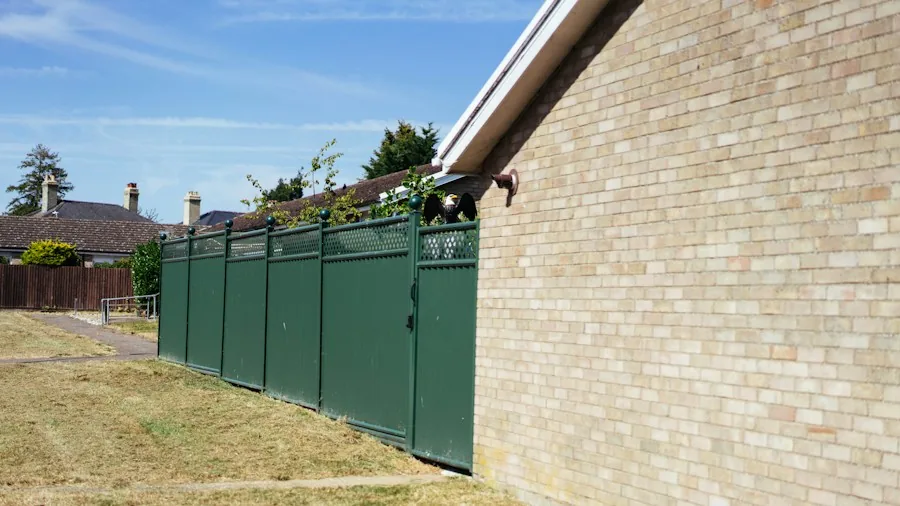
The most straightforward way to avoid legal trouble is ensuring your video doorbell and outdoor cameras point only at your own property. Data protection laws in the US and UK recognize a ‘domestic purposes exemption’ for cameras that stay within your boundaries, but this protection evaporates once your lens captures neighbors’ yards, windows, or walkways.
If your property sits close to the street or a neighbor’s land, adjust the camera’s angle to minimize overlap. Most modern devices include digital tools to help: privacy masking blacks out specific zones, while activity zones let you limit motion detection to your own perimeter. Use these features generously.
2. Install Clear Privacy Signage
Even when your camera respects property lines, inform people that surveillance is active. Post visible signs at entry points stating that CCTV recording is in progress. This transparency serves two purposes: it acts as a deterrent to criminals and demonstrates your lawful intent to authorities or neighbors who might question the system.
A sign alone isn’t sufficient. Back it up with a detailed privacy notice explaining what you record, why, and how long footage is retained. Transparency protects you legally and builds community trust.
3. Never Record Audio Without Understanding Local Laws
Audio recording presents heightened legal exposure compared to video. Many jurisdictions require consent from all parties before recording conversations, even in your own home if the audio captures voices from outside. The landmark case mentioned earlier highlighted audio data as ‘more problematic’ than video because people outside have no reasonable expectation of being listened to.
Before enabling audio on your video doorbell, verify your state’s recording consent laws. If two-party consent applies where you live, disable audio recording entirely or only activate it when you know visitors are aware of the feature.
4. Be Cautious About Storing and Managing Footage
Retaining footage longer than necessary increases your legal liability. Adopt a policy of deleting recordings after a set period, perhaps 7 to 14 days unless an incident occurred. Store footage locally on MicroSD cards or personal hard drives rather than defaulting to cloud services, which introduce third-party access and data control complications.
If you do save footage, maintain clear records of how it’s handled, when it was captured, and whether any editing occurred. This metadata becomes crucial if footage is ever used in legal proceedings or if you need to prove authenticity against claims of tampering.
5. Never Post Unblurred Footage of People on Social Media
The urge to share video doorbell footage on Facebook or community groups to warn neighbors about suspicious activity is understandable, but it opens you to serious legal claims. Publishing identifiable images of people without consent violates privacy laws and can expose you to defamation suits if your commentary implies wrongdoing by someone later proven innocent.
If you believe you’ve captured criminal activity, give the original footage to police rather than posting online. If you must share footage publicly, blur all faces, especially those of children, whose personal information requires maximum legal protection. Even then, avoid speculative commentary that could harm someone’s reputation.
6. Use Built-In Privacy Features Like Masking and Zones

Modern video doorbells come equipped with privacy masking and customizable activity zones. These aren’t optional conveniences, they’re practical legal tools. Smart doorbells worth installing for home security now include these as standard features, allowing you to black out sidewalks, neighboring windows, or parked cars on the street.
Limit motion detection alerts to the areas that matter: your front door, porch, and driveway. This approach reduces unnecessary recording of people passing by and demonstrates to regulators that you’re collecting only the minimum footage necessary for legitimate home security.
7. Understand Facial Recognition and AI Limitations
Facial recognition technology is increasingly available in home security systems, but using it requires exceptional caution. Deploying facial recognition in a residential setting involves processing biometric data under stringent data protection rules that most homeowners cannot satisfy, particularly if the technology is cloud-based and shared with third-party providers.
Even beyond legal concerns, facial recognition remains imperfect. Matches aren’t proof of identity, and accuracy issues mean you could mistakenly accuse an innocent person based on camera output alone. Additionally, if you ever need footage for police or court proceedings, any AI-generated alterations or deep-fake concerns can undermine its credibility. For home security purposes, conventional motion detection and activity zones deliver results with far fewer legal headaches.
Using a video doorbell responsibly centers on balance: protecting your home while respecting others’ privacy rights. The technology is valuable only when deployed thoughtfully. Start with privacy as your default setting, adjust features to your specific layout, document what you’re doing, and resist the urge to broadcast footage online. Smart home innovations improve constantly, but the legal and ethical framework governing their use remains rooted in common sense and consideration for your community.