Smart light bulbs have quietly become one of the most practical upgrades a homeowner can make. Whether you want to set the mood with millions of colors, automate your porch light at dusk, or simply dim the bedroom from your phone without getting up, the right smart bulb delivers all of that without rewiring a single fixture. The market is more crowded than ever, with options from established brands like Philips Hue and Kasa Smart alongside value-focused picks from Govee, Linkind, and DAYBETTER. Our editorial team at HomeThru independently researched, analyzed, and compared the top-rated smart bulbs available right now so you can shop with confidence and skip the guesswork.
Below you will find our full list of recommended smart light bulbs covering every budget and use case, followed by a detailed buying guide that explains exactly what to look for before you buy.
Our Top Smart Light Bulb Picks

Pros
- Exceptional color range and preset scenes provide creative lighting options for any mood or occasion
- Music sync feature adds entertainment value, especially for parties or entertainment spaces
- Dual WiFi and Bluetooth connectivity ensures reliable connection in most home environments
- Timer and scheduling functions integrate seamlessly into daily routines
- Affordable 4-pack option makes upgrading multiple rooms cost-effective
Cons
- Cannot be used with smart wall switches, limiting installation flexibility in some homes
- Requires 2.4GHz WiFi network only; 5G networks are not supported, which may complicate setup in modern dual-band routers
The Govee Smart Light Bulbs offer homeowners an affordable entry point into color-changing smart lighting. With 16 million color options and 54 preset scenes, these A19 bulbs provide flexibility for creating ambiance in bedrooms, living rooms, or entertainment spaces. The dual WiFi and Bluetooth connectivity ensures reliable performance, and the 800 lumens output delivers adequate brightness for standard household fixtures.
What sets these bulbs apart is the music sync feature, which automatically adjusts colors and brightness in response to sound detected through your phone's microphone. While this requires the microphone to be accessible and not in use for other functions, it creates an engaging lighting experience for music lovers and entertaining. The Govee Home App interface is intuitive, allowing you to group multiple bulbs and control them simultaneously, while voice commands through Alexa or Google Assistant add convenience for hands-free operation.
The scheduling and timer functions are particularly useful for establishing routines, with sunrise and sunset modes that gradually brighten or dim your lights to support natural sleep-wake cycles. However, potential buyers should note that these bulbs require a 2.4GHz WiFi network and cannot be paired with smart wall switches, which may affect installation in certain home setups. Overall, they represent solid value for DIYers seeking customizable ambient lighting without significant expense.
| Specification | Details |
|---|---|
| Color | Multi-colored (16 Million Colors) |
| Bulb Type | A19 |
| Brightness | 800 Lumens |
| Connectivity | WiFi (2.4GHz) and Bluetooth |
| Voltage | AC 120V |
| Preset Scenes | 54 Scene Modes |
| Quantity | 4 Pack |
| Dimensions | 2.36 x 2.36 x 4.84 inches |
| Compatible Voice Assistants | Alexa and Google Assistant |
| Key Features | Music Sync, Group Control, Timer, Scheduling, Sunrise/Sunset Modes |
Setup: Screw the bulbs into standard A19 fixtures and power them on. Download the Govee Home App, create an account, and add the bulbs by scanning the QR code on the packaging. Ensure your home WiFi is 2.4GHz (not 5G) for optimal connectivity.
Basic Control: Use the app to turn bulbs on/off, adjust brightness, and select colors or scenes. Create groups to control multiple bulbs simultaneously. Enable voice control by linking your Alexa or Google Assistant account in the app settings.
Music Sync: Open the app, select a bulb or group, and enable the music sync feature. Grant microphone permissions when prompted. The bulbs will respond to sound in real-time. Note that microphone must not be in use for calls or other apps.
Scheduling: In the app, navigate to Timer settings to create daily schedules. Use Sunrise mode to gradually brighten at wake-up time and Sunset mode to gradually dim before bedtime. Save custom schedules for weekdays, weekends, or specific dates.
WiFi Optimization: Place your router centrally and ensure bulbs are within reasonable range. If experiencing connectivity issues, restart both the bulbs and router, then re-add them to the app.
Music Sync Best Practices: Music sync works best in quieter rooms where the microphone can clearly detect sound changes. For consistent results, keep your phone close to the bulbs and avoid background noise interference.
Scene Creation: Experiment with the 54 preset scenes to find your favorites, then customize colors and brightness levels to match your decor and lighting preferences. Save custom scenes for quick access.
Group Control Strategy: Group bulbs by room or function (e.g., "Bedroom," "Entertainment") rather than by type. This makes it easier to manage lighting across your home and create coordinated ambiance.
Power Management: Remember that these bulbs cannot be used with smart wall switches. Keep them in standard fixtures with manual on/off capability as backup, or use the app and voice commands for primary control.
Is This Right for You? These bulbs are ideal if you want affordable color-changing smart lighting without major installation work. They work well for ambient lighting in living rooms, bedrooms, entertainment spaces, and accent lighting. They're not suitable for high-brightness task lighting or kitchens requiring consistent white light.
What to Know Before Buying: Verify your home has a 2.4GHz WiFi network available. These bulbs cannot be used with smart wall switches, so you'll need manual light switches or app/voice control. Confirm your fixture type is standard A19 (most common residential bulbs). The music sync feature requires smartphone microphone access and works best in quieter environments.
Installation Considerations: Installation is straightforward—simply screw into existing fixtures. No wiring or special tools needed. However, if you have smart switches installed, you'll need to use standard switches instead, which may require rewiring in some cases.
Budget Planning: The 4-pack pricing makes these cost-effective for updating multiple rooms. Calculate how many bulbs you need and plan for app setup time (typically 10-15 minutes per bulb). Factor in potential WiFi upgrades if your router doesn't support 2.4GHz.

Pros
- Excellent brightness at 1000 lumens outperforms many competitor smart bulbs in the same price range
- Intuitive Govee Home App with 54 scene modes and sound-reactive features adds entertainment value beyond basic lighting
- Reliable dual connectivity with both Wi-Fi and Bluetooth prevents connection drops and frustration
- Works with major voice assistants, giving you flexibility in your smart home ecosystem
- Energy-efficient design reduces electricity costs compared to traditional 75W incandescent bulbs
Cons
- Preset settings only save when connected to Wi-Fi, requiring a stable network for full functionality
- Incompatible with traditional smart switches, limiting installation options in some homes
The Govee Smart LED Bulbs deliver impressive performance for homeowners seeking affordable smart lighting. With 1000 lumens of output, these bulbs provide genuine brightness comparable to 75W incandescent bulbs while consuming far less energy. The 16 million color palette and tunable white light range from 2700K to 6500K make them versatile for any room, whether you need warm ambiance for relaxation or cool daylight for productivity and reading.
What sets these bulbs apart is the extensive feature set packed into the Govee Home App. The 54 scene modes provide pre-programmed lighting effects for holidays, parties, and everyday moods. The sound-reactive feature, which changes colors in sync with music or ambient noise, adds an entertainment dimension that goes beyond traditional smart bulbs. Group control functionality allows you to manage multiple Govee products simultaneously, making it practical for upgrading an entire home rather than single rooms.
The dual Wi-Fi and Bluetooth connectivity provides reliability that users appreciate. While the Wi-Fi connection offers remote access from anywhere, Bluetooth serves as a backup for local control when internet is unavailable. However, keep in mind that preset saving requires Wi-Fi connectivity, and these bulbs don't work with traditional smart switches, so installation planning is important before purchase.
| Specification | Details |
|---|---|
| Brand | Govee |
| Model | Smart LED Bulb A19 RGBWW |
| Brightness | 1000 Lumens |
| Wattage Equivalent | 75W Equivalent |
| Color Options | 16 Million Colors |
| Color Temperature Range | 2700K to 6500K |
| Dimmable Range | 1-100% |
| Color Rendering Index (CRI) | 90+ |
| Connectivity | Wi-Fi & Bluetooth (2.4GHz) |
| Voice Control | Alexa & Google Assistant Compatible |
| App Control | Govee Home App |
| Scene Modes | 54 Pre-programmed Modes |
| Special Features | Sound-Reactive, Timer/Schedule, Sunrise & Sunset Automation |
| Dimensions | 5.04 x 2.56 x 5.28 inches |
| Quantity | 2-Pack |
Optimize Your Setup: For the best experience, ensure your Wi-Fi network is stable and uses a 2.4GHz band, as these bulbs don't support 5GHz. Position your router centrally to maintain strong signal throughout your home.
Maximize Scene Modes: Explore the 54 scene modes in the Govee Home App beyond basic on/off. Create custom scenes for different times of day, such as 'Morning Energy' for cool daylight and 'Evening Wind Down' for warm amber tones.
Use Sound-Reactive Wisely: The sound-reactive feature works best in rooms where you play music or watch TV regularly. In bedrooms or quiet spaces, disable this feature to avoid unexpected color changes from ambient noise.
Group Control Strategy: If you're adding these bulbs to existing Govee products, group them by room rather than by function. This makes it easier to control all lights in a space simultaneously with a single command.
Schedule Automation: Take advantage of the Sunrise and Sunset scheduling to automatically adjust light color and brightness based on time of day, supporting your natural circadian rhythm without manual adjustments.
Is This Right for You? These smart bulbs work best for homeowners who want smart lighting without a complete home automation overhaul. They're ideal if you already use Alexa or Google Assistant and have a stable Wi-Fi network. The 2-pack makes them perfect for upgrading a bedroom and living room simultaneously.
Installation Considerations: These bulbs fit standard A19 sockets, so they work in most lamps and ceiling fixtures. However, they're incompatible with traditional smart switches and dimmer switches, so if your home has smart switch installations, you'll need to control these bulbs through the app or voice commands only.
Network Requirements: A reliable 2.4GHz Wi-Fi network is essential for full functionality. If you have a weak signal in certain rooms, consider a Wi-Fi extender before purchasing. Bluetooth provides local backup control, but remote access requires Wi-Fi.
Budget Comparison: At the 2-pack price point, these bulbs offer more features and brightness than many competitors in the same category. The 1000-lumen output is notably higher than budget smart bulbs, making them suitable for larger spaces.
Long-Term Value: The energy savings from switching to LED technology pays dividends over time. Compared to traditional incandescent bulbs, these consume about 85% less energy, offsetting their higher upfront cost within months of regular use.

Pros
- No smart hub needed - setup is simple with the AiDot app in 3 steps
- Dual connectivity (WiFi + Bluetooth) ensures control even when WiFi drops
- Music sync and custom light effects add genuine entertainment value
- Excellent color range and tunable white for different activities
- 25,000-hour lifespan reduces replacement costs over time
Cons
- Not compatible with traditional dimmer switches, which may cause flickering or buzzing
- Requires 2.4GHz WiFi only (not 5GHz) and 120V, limiting setup flexibility for some homes
The Linkind Smart LED Bulbs deliver solid smart home integration without the complexity of a separate hub. Setup is straightforward: download the AiDot app, connect to your 2.4GHz WiFi network, and link to Alexa or Google Home. Voice commands work responsively for on/off, brightness adjustment, and color changes, making these bulbs practical for hands-free control in kitchens, bedrooms, or home offices.
Where these bulbs stand out is their feature-rich software experience. The music sync capability genuinely works, detecting audio through your phone's microphone and matching light colors and brightness to the beat. The 104 preset scenes cover common scenarios like reading, sleep, and parties, while the DIY light show creator lets you build custom patterns. The Dotis AI assistant adds a fun touch by generating scene suggestions based on mood descriptions.
Connectivity is reliable thanks to dual WiFi and Bluetooth support. The 16 million color options plus warm-to-cool white tuning (1800K-6500K) handle most lighting needs, and the 25,000-hour lifespan justifies the upfront investment. Keep in mind these bulbs won't work with traditional dimmer switches and require 2.4GHz WiFi during setup, which may require router adjustments in some homes.
| Specification | Detail |
|---|---|
| Brand | Linkind |
| Color | Color-Changing (16M RGB + Tunable White) |
| Base Type | E26 (Standard) |
| Shape | A19 |
| Connectivity | WiFi (2.4GHz) + Bluetooth Dual |
| Voice Control | Alexa & Google Home Compatible |
| Brightness | 800 Lumens |
| Equivalent Wattage | 60W |
| Color Temperature Range | 1800K-6500K |
| Preset Scenes | 104 |
| Music Sync | Yes (via AiDot App) |
| Lifespan | 25,000 Hours |
| Quantity | 4-Pack |
| Dimensions | 2.36 x 2.36 x 3.94 inches |
| Weight | 0.51 lbs (per bulb approx.) |
| Voltage | 120V (US Only) |
| Hub Required | No |
Initial Setup: Screw the bulbs into standard E26 sockets. Download the AiDot app on your smartphone. Turn on Bluetooth and ensure your phone is connected to a 2.4GHz WiFi network (5GHz will not work). Open the app and follow the three-step pairing process to add your bulbs.
Voice Control: After setup, open your Alexa or Google Home app and link the AiDot skill or Google Home integration. You can then use voice commands like "Alexa, turn on the living room lights" or "Google, set kitchen lights to warm white." Brightness and color changes work via voice as well.
Music Sync: Open the AiDot app and tap the Music Sync feature. Select one of four preset modes (Party, Dynamic, Calm, Auto Rhythm) and allow the app to access your phone's microphone. Play music and the bulbs will respond in real-time. The DIY Light Show feature lets you create custom patterns by selecting effect types (swing, loop, ripple, flow, fading, jumping) and adjusting timing and colors.
Scheduling: Use the app to set timers and schedules. Create a sunrise simulation by setting bulbs to gradually brighten at a specific wake-up time, or schedule lights to turn off automatically at night to reduce energy use.
Optimize WiFi Connectivity: Position your router within reasonable range of the bulbs and ensure you're using a 2.4GHz WiFi network. If your router broadcasts both 2.4GHz and 5GHz, disable the 5GHz band during setup or create a separate 2.4GHz network. Once paired, the Bluetooth backup ensures local control if WiFi temporarily drops.
Maximize Music Sync: Music sync works best in quieter environments where the phone microphone can clearly detect audio. For the most responsive light effects, use the Party or Dynamic preset modes at gatherings. Experiment with different music genres to see which preset mode matches your preferred light behavior.
Group Control for Efficiency: Set up room or zone groups in the AiDot app to control multiple bulbs simultaneously. This is especially useful for living rooms or open-concept spaces where you want consistent lighting across several fixtures.
Avoid Dimmer Switches: Do not install these bulbs in fixtures controlled by traditional wall dimmers, as this can cause flickering or buzzing. Use the app or voice commands to adjust brightness instead.
Energy Savings: Take advantage of the scheduling feature to automatically turn off lights during daylight hours or when you're away. The preset "Sleep" scene uses warmer colors and lower brightness to support healthy sleep cycles.
Who Should Buy: These bulbs are ideal for homeowners and renters who want affordable smart lighting without purchasing a separate hub. They work well for anyone already invested in Alexa or Google Home ecosystems, and they're a good choice for people who enjoy customizing their lighting for different activities or moods.
What to Know Before Buying: Confirm your router has a 2.4GHz band available (many modern routers support both 2.4GHz and 5GHz). These bulbs fit standard E26 sockets, which are common in most US homes, but verify your fixtures use this base type. The 4-pack is a good starting point for a single room or entryway; larger homes may require multiple packs.
Compatibility Check: Ensure your Alexa devices or Google Home setup is current and connected to the same WiFi network. The bulbs work with Alexa Echo devices, Google Home, and Google Nest products. If you use a traditional dimmer switch in your fixture, you'll need to replace it with a standard on/off switch or control brightness through the app instead.
Installation Considerations: These are standard plug-and-play bulbs requiring no wiring or professional installation. Screw them into any E26 socket the same way you would a regular bulb. The 800-lumen output is equivalent to a 60W incandescent bulb, making them suitable for general room lighting, accent lighting, and decorative use.
Long-Term Value: The 25,000-hour lifespan (approximately 2.8 years of 24/7 use) and energy efficiency make these bulbs cost-effective over time. Factor in the elimination of replacement costs and energy savings compared to traditional bulbs when evaluating the upfront price.

Pros
- Hub-free setup makes installation straightforward for any homeowner
- Dual WiFi and Bluetooth connectivity ensures reliable performance
- Music sync feature adds entertainment value and ambiance control
- Preset scenes save time on manual color adjustments for holidays and events
- Affordable 4-pack format reduces cost per bulb versus single purchases
Cons
- Requires 2.4GHz WiFi only - incompatible with 5GHz networks, which may complicate setup in some homes
- Music sync feature requires phone microphone permissions and the DAYBETTER app, limiting flexibility for voice-only control
The DAYBETTER Smart Light Bulbs offer a practical entry point into voice-controlled smart home lighting. These A19 E26 bulbs integrate seamlessly with Alexa and Google Home ecosystems without requiring a separate hub, which simplifies installation for homeowners new to smart lighting. The dual WiFi and Bluetooth connectivity provides flexibility, though the 2.4GHz WiFi requirement means you'll need to ensure your router supports this band during setup.
Color performance and customization options are substantial. With 16 million color choices and adjustable white light ranging from 2700K warm tones to 6500K cool tones, these bulbs adapt to various moods and times of day. The music synchronization feature is a standout for entertainment-focused spaces, allowing the lights to respond to audio detected through your phone's microphone. Preset scenes for holidays and special occasions add convenience without requiring manual color programming.
Practical automation features make these bulbs useful for daily routines. Sunrise mode in the morning and dimming before bed can be scheduled through the DAYBETTER app, and grouping multiple bulbs allows you to control your entire room's lighting with a single command. The 800-lumen output at 60W equivalent provides adequate brightness for standard room lighting, making this 4-pack suitable for bedrooms, living rooms, and accent lighting applications.
| Specification | Details |
|---|---|
| Brand | DAYBETTER |
| Model Type | Smart Light Bulbs (RGBCW) |
| Base Type | E26 (Standard) |
| Bulb Shape | A19 |
| Color Options | 16 Million Colors + Adjustable White Light |
| Color Temperature Range | 2700K (Warm) to 6500K (Cool) |
| Brightness | 800 Lumens |
| Equivalent Wattage | 60W |
| Connectivity | 2.4GHz WiFi + Bluetooth |
| Voice Assistants | Amazon Alexa, Google Assistant |
| Hub Required | No |
| Features | Music Sync, Scheduling, Group Control, Preset Scenes |
| Quantity | 4 Pack |
| Incompatible With | Tuya, Smartlife, Magic Home, Matter, Home Assistant |
Initial Setup
Step 1: Download the DAYBETTER app and create an account. Step 2: Screw the bulbs into standard E26 sockets and turn them on. Step 3: In the app, select your WiFi network (must be 2.4GHz, not 5GHz) and follow the pairing prompts. The app will guide you through connecting to Alexa or Google Home for voice control.
Daily Control
Use the DAYBETTER app to adjust brightness, select from 16 million colors, or choose from preset white light temperatures. For voice commands, simply say "Alexa, turn on the lights" or "Google Home, dim the lights to 50%." Group multiple bulbs together in the app for synchronized control across your entire room.
Music Sync and Automation
Enable music sync in the app and grant microphone permissions to have lights respond to audio. Set up automated schedules for sunrise simulation in the morning or gradual dimming before bedtime. Select holiday or special occasion scenes directly from the app for instant atmosphere adjustments.
- WiFi Network Check: Before purchasing, verify your router broadcasts a 2.4GHz band. Many modern routers support both 2.4GHz and 5GHz - check your router settings to confirm 2.4GHz is enabled.
- Placement for Connectivity: Position bulbs within reasonable range of your WiFi router to ensure stable connections. WiFi signal strength directly affects voice command responsiveness.
- Music Sync Optimization: For best music sync results, use the app's rhythm mode settings that match your music genre. Experiment with different modes to find the visual effect that appeals to you most.
- Grouping Strategy: Create separate groups for different rooms or lighting zones. This allows you to control bedroom lights independently from living room lights without conflicting commands.
- Scene Scheduling: Set up morning sunrise mode to gradually increase brightness over 30 minutes, which naturally helps with waking. Pair this with evening dimming routines for better sleep cycles.
Who Should Buy These Bulbs?
These smart bulbs suit homeowners looking to add voice-controlled lighting without a hub, renters who want removable smart home upgrades, and anyone interested in color-changing ambiance for entertainment spaces. They work well for bedrooms, living rooms, home offices, and accent lighting applications.
Who Might Want to Look Elsewhere?
If your home uses exclusively 5GHz WiFi networks, you'll face connectivity issues. Those seeking Matter protocol compatibility or integration with Home Assistant should research other options. Users needing extremely bright lighting (above 800 lumens) may want to compare with higher-lumen alternatives.
Compatibility Considerations
These bulbs require the DAYBETTER app for setup and scheduling. They integrate with Alexa and Google Home but are not compatible with Tuya, Smartlife, or Magic Home apps. Ensure your voice assistant ecosystem matches before purchasing.
Value Assessment
The 4-pack format offers better value per bulb than single purchases. Compare the total cost against other hub-free smart bulbs in the A19 category, considering that music sync and preset scenes add entertainment features beyond basic color-changing bulbs.

Pros
- Dual WiFi and Bluetooth connectivity provides reliable control both remotely and locally without internet
- Tunable color temperature covers all lighting scenarios from relaxation to focused work in one bulb
- Exceptional energy efficiency saves money long-term while reducing household carbon footprint
- High color rendering index (CRI>90) makes this ideal for creative tasks like photography and art
- Group control feature lets you manage multiple bulbs simultaneously for whole-room or whole-house lighting
Cons
- Only supports 2.4GHz WiFi, not 5GHz, which may cause connectivity issues in homes with older routers
- Incompatible with traditional dimmer switches; you must use the app or voice commands to adjust brightness
The Linkind smart bulbs stand out for their tunable white capability, allowing users to shift from warm 2700K tones ideal for relaxation to cool 6500K daylight that enhances focus and productivity. This single-bulb flexibility eliminates the need to stock separate warm and daylight options, simplifying both installation and inventory management for homeowners. The CRI>90 color rendering means furniture, artwork, and skin tones appear natural and true-to-life, making these bulbs particularly valuable for makeup application, product photography, and interior design visualization.
Voice control integration with Alexa and Google Home provides genuine convenience for everyday use, allowing you to adjust brightness and color temperature without touching a switch when your hands are full or you're across the room. The app-based scheduling and sunrise/sunset simulation features support healthy circadian rhythms while cutting energy waste through automated on/off cycles. At 8.5W actual consumption versus traditional 60W incandescent equivalents, the efficiency gains translate to measurable reductions in monthly electricity bills, with the 25,000-hour lifespan further reducing long-term replacement costs.
The dual WiFi and Bluetooth architecture addresses a real pain point: local Bluetooth control works even when internet connectivity drops, ensuring your lights remain functional during outages or WiFi disruptions. Group control functionality makes managing multiple bulbs straightforward, while the 800-lumen output suits bedrooms, living rooms, and home offices effectively. The main trade-off involves setup requirements and dimmer switch incompatibility, which means users must commit to app or voice control rather than traditional wall switches.
| Specification | Details |
|---|---|
| Color Temperature Range | 2700K to 6500K (tunable white) |
| Bulb Type | A19 E26 base |
| Brightness | 800 lumens |
| Power Consumption | 8.5W actual (60W equivalent) |
| Dimming Range | 1% to 100% smooth dimming |
| Color Rendering Index (CRI) | >90 (high color accuracy) |
| Lifespan | 25,000 hours (approximately 10 years) |
| Connectivity | 2.4GHz WiFi and Bluetooth |
| Compatible Platforms | Alexa, Google Home, AiDot App |
| Dimming Method | App, voice command, or Bluetooth (not traditional dimmer switches) |
| Offline Control | Yes, via Bluetooth after initial setup |
| Quantity | 4-pack |
| Weight | 0.53 pounds |
| Recommended Room Size | 10-20 square feet |
Initial Setup Requirements: These bulbs require both WiFi and Bluetooth during initial pairing with the AiDot App. Ensure your 2.4GHz WiFi network is accessible and your smartphone has Bluetooth enabled. Screw the bulbs into standard E26 sockets and power them on before opening the app to begin pairing.
Voice Control Configuration: After adding bulbs to the AiDot App, link your Alexa or Google Home account through the app's settings. Once linked, you can create voice commands like 'Alexa, turn on the bedroom lights' or 'Hey Google, dim the living room to 50%.' You can also control color temperature by voice: 'Alexa, set the lights to warm white' or 'Google, make the lights cooler.'
Grouping and Scheduling: Use the app to group multiple bulbs by room, then create schedules for automatic on/off times or sunrise/sunset simulation. Set preset scenes like 'Reading' for focused tasks or 'Movie Night' for dimmed, warm lighting. Remember that Bluetooth local control activates after initial setup, allowing you to adjust lights via app even if WiFi temporarily fails.
Dimmer Switch Note: Do not install these bulbs in fixtures controlled by traditional dimmer switches, as this can cause flickering or unstable operation. Use only app-based, voice, or Bluetooth dimming for proper functionality.
Optimize WiFi Placement: Since these bulbs only support 2.4GHz WiFi, position your router to ensure strong 2.4GHz coverage in rooms where you install them. If your router broadcasts primarily on 5GHz, consider enabling dual-band mode or placing a 2.4GHz extender nearby. Test connectivity before grouping multiple bulbs together.
Leverage Color Temperature for Wellness: Use warm white (2700K-3000K) during evening hours to support natural melatonin production and better sleep. Switch to cool daylight (5000K-6500K) during work or study sessions to enhance alertness and reduce eye strain. The app's scheduling feature automates these transitions, creating a circadian-aligned lighting routine without manual adjustment.
Maximize Energy Savings: Set schedules to automatically turn off lights in low-traffic areas during daytime hours. Use the dimming feature to reduce brightness in spaces where full 800 lumens isn't necessary, further cutting energy consumption. Over a year, these habits compound the 85% efficiency gain versus traditional bulbs.
Color Rendering for Creative Work: The CRI>90 rating makes these ideal for makeup application, home photography, or artwork evaluation. Position bulbs directly above mirrors or work surfaces and use the app to set color temperature to 5000K-5500K for the most accurate color perception. Avoid mixing these with lower-CRI bulbs in the same space to prevent color inconsistencies.

Pros
- Superior motion detection technology using radar instead of infrared reduces false triggers from heat sources
- Dusk-to-dawn sensor prevents unnecessary daytime activation, maximizing energy efficiency
- Wide 360-degree detection range with 16-32 foot coverage ideal for large outdoor areas
- Straightforward plug-and-play installation in any standard E26 socket
- Bright 1100-lumen output provides excellent visibility for security and safety
Cons
- Must be installed pointing downward and away from other light sources to function optimally, limiting placement flexibility
- No user reviews currently available to verify real-world performance and reliability in various weather conditions
ProPOW's radar motion sensor bulbs represent a solid upgrade from traditional infrared PIR motion sensors commonly found in outdoor lighting. The Doppler-based radar technology detects movement through non-metallic materials like glass and acrylic without penetrating walls, which means fewer false alarms from passing vehicles or heat sources compared to heat-sensing alternatives. The 360-degree detection pattern with a 16-32 foot range provides comprehensive coverage for typical porch, garage, and driveway applications.
The integrated dusk-to-dawn photosensor is a practical energy-saving feature that prevents the bulbs from activating during daylight hours or when ambient light exceeds 40 LUX. This intelligent automation means the motion detection only engages when it matters most, in low-light conditions below 15 LUX. The 1100-lumen daylight white output delivers adequate brightness for security and navigation without excessive consumption, making these bulbs suitable for homeowners seeking both convenience and efficiency.
Installation is refreshingly simple since these are standard A19 bulbs that screw into any E26 socket without requiring additional wiring, controllers, or smart home integration. The 18-month warranty and responsive customer support provide reasonable protection, though proper downward installation away from competing light sources is essential for reliable operation. For DIYers and homeowners wanting motion-activated outdoor lighting without complex setup, these radar-based bulbs offer a practical middle ground between basic fixtures and smart home systems.
| Specification | Details |
|---|---|
| Brand | ProPOW |
| Model Type | Radar Motion Sensor LED Bulb |
| Base Type | E26 Standard Socket |
| Bulb Shape | A19 |
| Power Consumption | 12W |
| Brightness Equivalent | 100 Watt Incandescent |
| Lumen Output | 1100 LM |
| Color Temperature | Daylight White |
| Detection Technology | Radar Doppler |
| Detection Range | 16-32 Feet |
| Detection Angle | 360 Degrees |
| Dusk-to-Dawn Sensor | Yes (15-40 LUX threshold) |
| Quantity | 2-Pack |
| Weight | 0.31 lbs per bulb |
| Warranty | 18 Months |
Installation: Screw the motion sensor bulb into any standard E26 socket on an outdoor fixture or lamp. Ensure the bulb is installed pointing downward for optimal radar detection. Avoid installing in locations where other lights directly shine on the bulb, as this can interfere with the photosensor.
Initial Setup: When first powered on during daylight, the bulb may briefly illuminate as part of its self-check routine. This is normal and will automatically turn off within approximately 2 seconds. No additional configuration is required.
Operation: The bulb automatically activates when motion is detected in low-light conditions (below 15 LUX). It will turn off after movement ceases and the timer expires. During bright daylight or when ambient light exceeds 40 LUX, the motion sensor remains deactivated to save energy. The bulb works continuously once darkness falls, providing reliable 24/7 security lighting.
Installation Safety: Turn off power at the circuit breaker before installing or removing the bulb. Allow the bulb to cool for at least 5 minutes after use before handling. Ensure the fixture is rated for outdoor use and properly weatherproofed.
Placement Considerations: Install the bulb pointing downward to maximize radar detection accuracy. Keep the bulb away from direct water spray or heavy rain exposure, even though it is rated for outdoor use. Avoid mounting near reflective surfaces, mirrors, or other motion sensor lights that could cause interference.
Operational Notes: The radar sensor may detect movement through glass and acrylic windows, which is intentional for security purposes. If false alarms occur, verify the bulb is not pointing toward areas with frequent movement (like busy roadways) that aren't relevant to your security needs. The photosensor requires unobstructed access to ambient light to function properly.
Optimal Placement: Position these bulbs at entry points like front doors, garage openings, and driveway approaches where you want automatic illumination. The 16-32 foot detection range works best when the bulb is mounted 8-10 feet high, allowing the radar cone to cover the ground area effectively. Avoid mounting directly above the detection area.
Combining Multiple Bulbs: Install bulbs in different fixtures to create overlapping detection zones for comprehensive coverage. Since each bulb operates independently, you can strategically place them to light multiple areas of your property without complicated wiring.
Maintenance and Troubleshooting: Clean the bulb lens periodically to ensure the photosensor responds accurately to changing light conditions. If the bulb doesn't activate in low light, verify it's pointing downward and not obstructed by other lights. The radar detection works through most common outdoor fixture materials, so enclosures rarely cause issues.
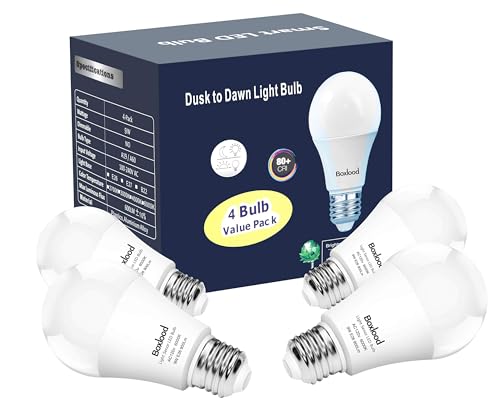
Pros
- Truly hands-free operation - sensor automatically detects dusk and dawn without timers or apps
- Exceptional energy efficiency at 9W replaces 100W incandescent bulbs and cuts electricity use dramatically
- Bright 6000K daylight white improves safety visibility compared to warm-toned outdoor bulbs
- Universal E26 compatibility means it works in most existing outdoor and indoor fixtures
- Weather-sealed construction handles outdoor elements and enclosed fixture installations
Cons
- No customer reviews available yet, so real-world performance data from actual users is limited
- Photocell sensitivity is fixed at 15-30 Lux range, offering no adjustment for different lighting preferences or geographic locations
The Boxlood dusk-to-dawn bulb addresses a common homeowner frustration: outdoor lights left on all night waste energy, while manually flipping switches defeats the purpose of outdoor convenience lighting. This bulb's built-in photocell sensor eliminates both problems by automatically activating when ambient light drops below 15 Lux at dusk and deactivating above 30 Lux at dawn. No timers, no smart home integration, no batteries to replace - just genuine set-it-and-forget-it operation.
Energy efficiency is substantial here. At 9 watts, this bulb consumes roughly one-tenth the power of a traditional 100-watt incandescent while delivering comparable brightness. For homeowners running outdoor lights nightly across multiple fixtures, the cumulative savings add up quickly. The 6000K cool white color temperature is notably brighter and crisper than warm-toned alternatives, which enhances visibility around driveways, patios, and entryways where security matters. The CRI rating above 80 means colors render accurately, reducing the washed-out appearance common with cheaper LED outdoor bulbs.
Installation is genuinely effortless - the bulb screws into any standard E26 socket without adapters, hubs, or rewiring. The weather-resistant design handles outdoor exposure and fully enclosed fixtures alike, making it versatile across different lighting applications. The four-pack format provides good value for homeowners looking to outfit multiple outdoor areas simultaneously.
| Specification | Details |
|---|---|
| Brand | Boxlood |
| Power Consumption | 9W |
| Brightness Equivalent | 100W Incandescent |
| Color Temperature | 6000K Cool White |
| Color Rendering Index (CRI) | >80 |
| Socket Type | E26 Standard |
| Voltage | 120V |
| Sensor Type | Built-in Photocell |
| On Threshold | Below 15 Lux |
| Off Threshold | Above 30 Lux |
| Bulb Shape | A19 |
| Quantity | 4 Pack |
| Dimensions | 2.35 x 2.35 x 4.01 inches |
| Use | Indoor & Outdoor |
| Weather Rating | Suitable for enclosed fixtures and outdoor exposure |
Installation: Turn off power at the fixture. Unscrew any existing bulb and set aside. Screw the Boxlood dusk-to-dawn bulb into the E26 socket by hand until snug - do not overtighten. Restore power at the fixture.
First-Time Operation: The bulb's photocell sensor activates automatically. During daylight, the bulb will not illuminate even if the fixture switch is on. At dusk (when ambient light falls below 15 Lux), the bulb turns on. At dawn (when light rises above 30 Lux), it turns off. This cycle repeats daily with no user intervention required.
Best Practices: Ensure the bulb's photocell sensor faces outward or upward toward ambient light - avoid installing in fixtures where the sensor is blocked by walls or overhangs, as this prevents proper day/night detection. The bulb works in fully enclosed fixtures, but the fixture itself should allow some ambient light to reach the sensor. If you need the light on during the day for security or aesthetics, simply use the fixture's wall switch to override the sensor.
Maximize Sensor Accuracy: Position fixtures so the bulb's sensor faces open sky or a well-lit area. Shadows from trees, eaves, or structures can confuse the sensor and cause unexpected on/off cycles. South or west-facing installations typically perform best because they receive consistent ambient light changes at dusk and dawn.
Combine with Motion Sensors: For added security, pair these bulbs with outdoor motion-sensor fixtures. The dusk-to-dawn feature ensures the light is ready to activate at night, while the motion sensor triggers brightness when movement is detected - a powerful combination for deterring intruders.
Replace Incandescent Fixtures Strategically: Prioritize replacing high-use outdoor lights first - porch lights, driveway lights, and backyard fixtures that typically run 8-12 hours nightly. These deliver the fastest energy-cost payback. The 9-watt consumption means you can safely upgrade multiple fixtures without overloading older electrical circuits.
Check Fixture Compatibility: These bulbs work in standard E26 sockets but verify your fixture is rated for outdoor use if installing outside. Some decorative indoor fixtures may not be weatherproof enough for exterior exposure, even though the bulb itself is weather-resistant.
Who Should Buy This: Homeowners with outdoor lighting that runs nightly and want to eliminate manual switching or timer maintenance. Ideal for renters who cannot install smart lighting systems, budget-conscious households seeking quick energy savings, and anyone tired of forgetting to turn off porch or garage lights.
Who Might Look Elsewhere: If you need dimming capability, color-changing options, or smart home app control, this straightforward sensor bulb won't meet those needs. It's also not ideal if your outdoor fixtures are heavily shaded or indoors where natural light doesn't reach the sensor consistently.
Key Comparison Points: Unlike smart bulbs, this requires no WiFi, app, or hub - just screw and go. Compared to timer-based solutions, the photocell sensor adapts to seasonal daylight changes automatically, so you never need to reprogram. The 9-watt consumption outpaces most traditional dusk-to-dawn incandescent bulbs, which typically use 40-60 watts. The 6000K cool white is brighter than warm-white alternatives, better for security-focused outdoor lighting.
Value Assessment: The four-pack format spreads the cost across multiple fixtures. Calculate your current outdoor lighting hours per month and multiply by your electricity rate to see potential savings. Most homeowners recover the bulb cost within 2-3 months of nightly use, making this a solid long-term investment.

Pros
- Easy setup requires no special fixtures or wiring, just standard E26 sockets
- Exceptional color range and professionally designed lighting scenes save time finding the right ambiance
- Works with all major voice assistants for hands-free control
- Smooth dimming capability reduces eye strain and creates better lighting for different activities
- 4-pack offers good value for upgrading multiple rooms at once
Cons
- Bridge not included, so advanced features like automation and home security require separate purchase
- Higher upfront cost compared to standard LED bulbs, though long-term energy savings offset the difference
The Philips Hue Essential 4-pack represents a smart entry point for homeowners looking to modernize their lighting without a steep learning curve. Each bulb screws into standard E26 fixtures, making installation straightforward for any homeowner. The bulbs deliver 800 lumens of brightness with impressive color accuracy across millions of hues, backed by Philips' lighting expertise through preset scenes that take the guesswork out of creating the right ambiance for different times of day and activities.
Control is intuitive through the Hue app, where you can dim bulbs smoothly down to just 2% brightness, adjust color temperature from warm white (2200K) to daylight (6500K), or choose from curated lighting scenes. Voice control integration with Alexa, Google Assistant, and Apple Home means you can manage your lights hands-free, making this system practical for busy households. The 4-pack format lets you outfit multiple rooms, creating a cohesive smart lighting experience throughout your home.
While this Essential line skips some features of Hue's premium offerings, the trade-off is affordability and simplicity. The lack of an included Bridge means advanced automation and entertainment syncing require additional investment, but basic remote control and voice commands work perfectly well out of the box. For homeowners prioritizing ease of use and reliable performance over cutting-edge features, these bulbs deliver solid value.
| Specification | Details |
|---|---|
| Brand | Philips Hue |
| Bulb Type | Smart LED A19 |
| Socket Type | E26 (Standard) |
| Wattage | 7.2W |
| Brightness | 800 Lumens |
| Color Temperature Range | 2200K to 6500K |
| Color Options | Millions of Colors |
| Dimming | Yes (2% to 100%) |
| Quantity | 4-Pack |
| Voice Assistants | Alexa, Google Assistant, Apple Home |
| Weight | 0.55 lbs |
| Product Group | Home Improvement |
Initial Setup: Screw each bulb into a standard E26 light socket and turn on the power. Download the free Philips Hue app on your smartphone and follow the pairing instructions to connect each bulb to your home network.
Control via App: Once paired, open the Hue app to control individual bulbs or groups. Tap the brightness slider to dim from full brightness down to 2%, swipe through color options, or select preset scenes designed for different moods and times of day.
Voice Commands: After linking your Hue account to Alexa, Google Assistant, or Apple Home, use voice commands like 'Alexa, dim the living room lights to 50%' or 'Hey Google, set the kitchen to warm white.' Automation features beyond basic control require a Hue Bridge.
Scene Selection: The app includes a library of professionally designed lighting scenes. Browse by activity (reading, relaxing, energize) or time of day to quickly set the perfect ambiance without manual adjustments.
Optimize Color Temperature for Time of Day: Use warmer tones (2200K-3000K) in the evening to support natural sleep cycles, and shift to cooler daylight tones (5000K-6500K) in the morning and during work hours to maintain alertness and focus.
Group Bulbs for Easier Control: In the Hue app, create room or zone groups so you can control multiple bulbs with a single command. This is especially useful for open-concept spaces or when setting scenes across your home.
Leverage Preset Scenes: Explore the Hue app's scene library before creating custom colors. Many preset scenes are optimized for specific activities like reading, movie watching, or entertaining, saving you time and ensuring professional-quality lighting.
Plan for Bridge Expansion: While these bulbs work without a Bridge, adding one later unlocks automation, advanced scheduling, and entertainment syncing features. Budget for a Bridge if these features matter to your household.
Energy Savings: The 7.2W consumption is significantly lower than traditional incandescent bulbs. Use dimming strategically to extend bulb life and reduce electricity costs even further, especially in frequently used fixtures.
Is This Right for You? Choose the Philips Hue Essential 4-pack if you want affordable smart lighting with color options and voice control, but don't need advanced automation or entertainment syncing. It's perfect for homeowners upgrading one or two rooms without committing to a full smart home ecosystem.
What You Get in the Box: Four A19 smart bulbs ready to screw into standard E26 sockets. No Bridge, no hub, no additional hardware needed for basic operation. You'll need the free Philips Hue app and a home WiFi network.
Compatibility Checklist: Verify your light fixtures use standard E26 sockets (most residential fixtures do). Confirm you have WiFi coverage in the rooms where you'll install bulbs. Check that your smartphone supports the Hue app (iOS 14+ or Android 8+). Ensure you have accounts with at least one major voice assistant if voice control is important.
Budget Considerations: These bulbs cost more upfront than standard LEDs but use 80% less energy than incandescent bulbs and last much longer. Calculate payback period based on your electricity rates and usage. If you want advanced features later, budget an additional $50-100 for a Hue Bridge.
Alternative Scenarios: If you need color-changing bulbs for a single room, this 4-pack might be overkill; consider a 2-pack or single bulb. If you already own Hue products, these Essential bulbs integrate seamlessly into your existing setup. If budget is tight, standard smart bulbs from other brands offer voice control at lower prices, though with fewer color options and less refined app experiences.

Pros
- Excellent dimming range and smooth brightness transitions make lighting adjustments intuitive
- Multi-platform compatibility eliminates vendor lock-in and works with your existing smart home setup
- Warm white light is flattering and relaxing, perfect for living areas and bedrooms
- Long lifespan and low wattage reduce maintenance hassles and energy bills
- Simple setup requires only screwing in bulbs and downloading the Hue app
Cons
- Requires a smartphone and app download for full smart features; basic dimming requires a compatible bridge or hub
- 4-pack pricing is higher upfront than standard LED bulbs, though long-term energy savings offset the investment
The Philips Hue A19 4-pack brings intelligent lighting control to everyday spaces without unnecessary complexity. These bulbs deliver a warm 2700K white light that feels natural and inviting, making them particularly well-suited for bedrooms, living rooms, and relaxation areas where harsh lighting would feel out of place. The dimming capability ranges from full brightness down to just 5%, giving you granular control over the ambiance in each room.
Setup is straightforward: screw the bulbs into your existing E26 fixtures, download the Hue app, and you're ready to control lighting from your phone or voice assistant. The bulbs work directly with Alexa, Google Assistant, and Apple Home, so you can integrate them into whatever smart home ecosystem you already use. This flexibility is a major advantage for households with mixed smart home devices. The award-winning app interface makes scheduling, automating, and adjusting scenes intuitive even for users new to smart home technology.
Built for longevity, these bulbs carry a 25,000-hour average lifespan and consume just 9W while producing 810 lumens of light. For homeowners looking to upgrade multiple rooms at once, the 4-pack format offers better value than buying individual bulbs. The combination of reliability, broad compatibility, and warm lighting makes this an excellent choice for anyone ready to step into smart home lighting without overcomplicating things.
| Brand | Philips Hue |
| Model | A19 Smart LED Bulb |
| Color Temperature | Warm White (2700K) |
| Base Type | E26 Standard |
| Power Consumption | 9W |
| Light Output | 810 Lumens |
| Dimming Range | 5% to 100% |
| Average Lifespan | 25,000 Hours |
| Unit Count | 4 Bulbs |
| Voice Assistants | Alexa, Google Assistant, Apple Home |
| Control Method | Hue App, Voice Commands |
| Product Group | Home Improvement |
Installation: Turn off power at the light switch. Unscrew your existing bulbs and replace them with Philips Hue bulbs, screwing them in firmly until snug. Do not over-tighten. Restore power to the fixture.
Initial Setup: Download the free Philips Hue app from your device's app store. Open the app and follow the setup wizard. The app will search for your new bulbs and add them to your account. Name each bulb or group by room for easier control.
Basic Control: Use the app to adjust brightness by sliding the dimmer control from 5% to 100%. Create custom scenes for different activities (movie time, bedtime, reading) and save them for one-tap access. Enable scheduling to automatically adjust lighting at specific times.
Voice Control: Say commands like 'Alexa, dim the bedroom lights' or 'Hey Google, set the living room to 50 percent' to control bulbs hands-free. Ensure your voice assistant is linked to your Hue account during initial setup.
Optimize Dimming: Use the lowest comfortable brightness setting in the evenings to reduce eye strain and support natural sleep patterns. The 5% minimum is ideal for nightlights or creating ambient mood lighting.
Group Bulbs by Room: In the Hue app, create room groups so you can control all bedroom lights or all living room lights with a single command. This saves time and creates consistent lighting across spaces.
Leverage Automations: Set sunrise and sunset automations to gradually brighten lights in the morning and dim them in the evening, mimicking natural daylight cycles.
Plan Your Expansion: Start with this 4-pack and expand gradually. The Hue ecosystem scales easily, allowing you to add bulbs to different rooms over time without replacing your entire setup.
Maximize Energy Savings: At 9W per bulb, these consume a fraction of traditional incandescent bulbs. Dimming further reduces energy use, so don't hesitate to lower brightness when full brightness isn't needed.
Who Should Buy: Homeowners and renters seeking affordable smart lighting for multiple rooms, anyone with Alexa, Google Assistant, or Apple Home devices, and those prioritizing ease of setup and warm, inviting light quality.
Key Considerations: These bulbs work best with a smartphone app for full smart features. While they're compatible with voice assistants, a Hue Bridge (sold separately) unlocks advanced features like away mode and geofencing. The 4-pack is ideal for lighting an entire room or multiple smaller spaces.
Room Recommendations: The warm 2700K color is perfect for bedrooms, living rooms, dining areas, and bathrooms. Avoid using warm white in kitchens or task-oriented spaces where brighter, cooler light is more practical.
Budget Planning: Calculate the cost per bulb in the 4-pack and compare against individual bulb pricing. Factor in energy savings over the 25,000-hour lifespan to understand true cost of ownership. This 4-pack offers better value than buying single bulbs.

Pros
- Exceptional color range and white temperature flexibility makes these bulbs suitable for everything from ambient entertaining to task lighting
- No separate hub purchase needed - direct WiFi connection simplifies installation for average homeowners
- Reliable performance backed by millions of active users and a solid 2-year warranty
- Energy monitoring and scheduling features help reduce electricity consumption over time
- Compatible with both major voice assistant ecosystems, giving you flexibility in your smart home setup
Cons
- Requires a 2.4GHz WiFi network connection, which may be limiting if your home only supports 5GHz bands
- No customer reviews available yet, so long-term durability and real-world performance feedback is limited
The Kasa Smart Light Bulbs (KL125P4) offer an impressive combination of color versatility and smart home integration at an accessible price point. With 16 million color options and adjustable color temperatures ranging from warm 2500K to cool 6500K, these bulbs adapt to virtually any lighting need. Whether you're setting ambiance for a dinner party or creating a focused study environment, the color flexibility is genuinely useful for homeowners looking to enhance their spaces beyond standard white light.
Setup and control are straightforward. These bulbs connect directly to your 2.4GHz WiFi network without requiring a separate hub, which eliminates one potential barrier to adoption. The free Kasa app provides intuitive remote control from anywhere, while compatibility with both Amazon Alexa and Google Assistant means voice commands work seamlessly in most smart homes. The auto-adjustment feature that mimics natural light patterns throughout the day is a thoughtful addition for those interested in circadian rhythm lighting.
From an energy perspective, the 9W bulbs deliver 800 lumens (equivalent to 60W traditional incandescent) while offering real-time energy monitoring through the app. Built-in scheduling and timer functions help automate your lighting, reducing unnecessary consumption. The brand's track record with over 6 million users, combined with UL certification and a 2-year warranty, provides reasonable confidence in reliability and safety for typical residential use.
| Specification | Details |
|---|---|
| Brand | Kasa Smart |
| Model | KL125P4 |
| Color Options | Multicolor (16 million colors) + Adjustable Whites (2500K-6500K) |
| Bulb Type | A19 LED |
| Power | 9W (60W equivalent) |
| Brightness | 800 Lumens |
| Quantity | 4-Pack |
| Connectivity | WiFi (2.4GHz IEEE 802.11b/g/n) |
| Hub Required | No |
| Voice Control | Amazon Alexa, Google Assistant |
| Control Method | Kasa App (iOS/Android), Voice Commands |
| Dimensions | 2.36 x 2.36 x 4.52 inches |
| Weight | 0.62 lbs |
| Operating Temperature | 5°F to 104°F (-15°C to 40°C) |
| Operating Humidity | 10% to 90% RH (non-condensing) |
| Warranty | 2 Years |
| Certifications | UL Certified |
Installation: Screw the bulbs into standard A19 light fixtures. No special tools or installation steps are required.
Initial Setup: Download the free Kasa app on your smartphone. Create a Kasa account, then add the bulbs by selecting 'Add Device' and connecting them to your 2.4GHz WiFi network. The app will guide you through pairing each bulb.
Basic Control: Once connected, use the app to turn bulbs on/off, adjust brightness, select colors, and change white temperature. Tap the color wheel to explore the 16 million color palette, or use preset scenes for common settings like 'Movie' or 'Reading.'
Voice Control Setup: Link your Kasa account to your Alexa or Google Home app. Once connected, give commands like 'Alexa, turn on the living room lights' or 'Hey Google, set bedroom lights to blue.'
Scheduling and Automation: In the Kasa app, use the 'Automation' or 'Schedule' tab to set bulbs to turn on/off at specific times, or enable the sunrise/sunset feature to gradually brighten lights in the morning or dim them at night.
Optimize WiFi Connection: These bulbs require a 2.4GHz WiFi band. If your router supports both 2.4GHz and 5GHz, ensure you have the 2.4GHz network enabled and that the bulbs are placed within reasonable range of your router for stable connectivity.
Use Scenes for Quick Adjustments: Create custom scenes in the Kasa app for frequently used color and brightness combinations. This lets you activate your preferred lighting with a single tap rather than adjusting settings each time.
Leverage Sunrise/Sunset Simulation: Enable the auto-adjust feature during winter months or for bedrooms. Gradually brightening lights in the morning can make waking easier, while dimming in the evening supports natural sleep patterns.
Monitor Energy Usage: Check the energy monitoring feature in the app periodically to understand which rooms consume the most lighting power. Use this data to set more aggressive schedules and reduce unnecessary consumption.
Group Bulbs for Convenience: In the Kasa app, group bulbs by room or function. This allows you to control multiple bulbs with a single command, whether through the app or voice assistant.
Who Should Buy These Bulbs? Homeowners and renters seeking affordable smart lighting with color-changing capability and voice control compatibility. They're ideal if you already use Alexa or Google Home and want to expand your smart home ecosystem without purchasing additional hubs.
Key Considerations Before Buying:
- WiFi Requirements: Confirm your home has a 2.4GHz WiFi network. Modern routers typically support both bands, but some older or specialized setups may not.
- Fixture Compatibility: These are standard A19 bulbs, so they fit most common household light fixtures. Check your existing fixtures before purchasing.
- Voice Assistant Ecosystem: Ensure you use either Amazon Alexa or Google Assistant. These bulbs work with both, but you'll need at least one ecosystem for full smart functionality.
- Budget: At the 4-pack price point, these offer good value for color-changing smart bulbs compared to premium alternatives. Consider whether the feature set justifies the cost for your needs.
What You're Getting: A no-hub smart lighting solution with extensive color options, scheduling automation, energy monitoring, and voice control. The 2-year warranty and UL certification provide basic protection, though no extended coverage options are mentioned.
Pros
- No smart hub needed - setup is simple with the AiDot app in 3 steps
- Dual connectivity (WiFi + Bluetooth) ensures control even when WiFi drops
- Music sync and custom light effects add genuine entertainment value
- Excellent color range and tunable white for different activities
- 25,000-hour lifespan reduces replacement costs over time
Cons
- Not compatible with traditional dimmer switches, which may cause flickering or buzzing
- Requires 2.4GHz WiFi only (not 5GHz) and 120V, limiting setup flexibility for some homes
The Linkind Smart LED Bulbs deliver solid smart home integration without the complexity of a separate hub. Setup is straightforward: download the AiDot app, connect to your 2.4GHz WiFi network, and link to Alexa or Google Home. Voice commands work responsively for on/off, brightness adjustment, and color changes, making these bulbs practical for hands-free control in kitchens, bedrooms, or home offices.
Where these bulbs stand out is their feature-rich software experience. The music sync capability genuinely works, detecting audio through your phone's microphone and matching light colors and brightness to the beat. The 104 preset scenes cover common scenarios like reading, sleep, and parties, while the DIY light show creator lets you build custom patterns. The Dotis AI assistant adds a fun touch by generating scene suggestions based on mood descriptions.
Connectivity is reliable thanks to dual WiFi and Bluetooth support. The 16 million color options plus warm-to-cool white tuning (1800K-6500K) handle most lighting needs, and the 25,000-hour lifespan justifies the upfront investment. Keep in mind these bulbs won't work with traditional dimmer switches and require 2.4GHz WiFi during setup, which may require router adjustments in some homes.
| Specification | Detail |
|---|---|
| Brand | Linkind |
| Color | Color-Changing (16M RGB + Tunable White) |
| Base Type | E26 (Standard) |
| Shape | A19 |
| Connectivity | WiFi (2.4GHz) + Bluetooth Dual |
| Voice Control | Alexa & Google Home Compatible |
| Brightness | 800 Lumens |
| Equivalent Wattage | 60W |
| Color Temperature Range | 1800K-6500K |
| Preset Scenes | 104 |
| Music Sync | Yes (via AiDot App) |
| Lifespan | 25,000 Hours |
| Quantity | 4-Pack |
| Dimensions | 2.36 x 2.36 x 3.94 inches |
| Weight | 0.51 lbs (per bulb approx.) |
| Voltage | 120V (US Only) |
| Hub Required | No |
Initial Setup: Screw the bulbs into standard E26 sockets. Download the AiDot app on your smartphone. Turn on Bluetooth and ensure your phone is connected to a 2.4GHz WiFi network (5GHz will not work). Open the app and follow the three-step pairing process to add your bulbs.
Voice Control: After setup, open your Alexa or Google Home app and link the AiDot skill or Google Home integration. You can then use voice commands like "Alexa, turn on the living room lights" or "Google, set kitchen lights to warm white." Brightness and color changes work via voice as well.
Music Sync: Open the AiDot app and tap the Music Sync feature. Select one of four preset modes (Party, Dynamic, Calm, Auto Rhythm) and allow the app to access your phone's microphone. Play music and the bulbs will respond in real-time. The DIY Light Show feature lets you create custom patterns by selecting effect types (swing, loop, ripple, flow, fading, jumping) and adjusting timing and colors.
Scheduling: Use the app to set timers and schedules. Create a sunrise simulation by setting bulbs to gradually brighten at a specific wake-up time, or schedule lights to turn off automatically at night to reduce energy use.
Optimize WiFi Connectivity: Position your router within reasonable range of the bulbs and ensure you're using a 2.4GHz WiFi network. If your router broadcasts both 2.4GHz and 5GHz, disable the 5GHz band during setup or create a separate 2.4GHz network. Once paired, the Bluetooth backup ensures local control if WiFi temporarily drops.
Maximize Music Sync: Music sync works best in quieter environments where the phone microphone can clearly detect audio. For the most responsive light effects, use the Party or Dynamic preset modes at gatherings. Experiment with different music genres to see which preset mode matches your preferred light behavior.
Group Control for Efficiency: Set up room or zone groups in the AiDot app to control multiple bulbs simultaneously. This is especially useful for living rooms or open-concept spaces where you want consistent lighting across several fixtures.
Avoid Dimmer Switches: Do not install these bulbs in fixtures controlled by traditional wall dimmers, as this can cause flickering or buzzing. Use the app or voice commands to adjust brightness instead.
Energy Savings: Take advantage of the scheduling feature to automatically turn off lights during daylight hours or when you're away. The preset "Sleep" scene uses warmer colors and lower brightness to support healthy sleep cycles.
Who Should Buy: These bulbs are ideal for homeowners and renters who want affordable smart lighting without purchasing a separate hub. They work well for anyone already invested in Alexa or Google Home ecosystems, and they're a good choice for people who enjoy customizing their lighting for different activities or moods.
What to Know Before Buying: Confirm your router has a 2.4GHz band available (many modern routers support both 2.4GHz and 5GHz). These bulbs fit standard E26 sockets, which are common in most US homes, but verify your fixtures use this base type. The 4-pack is a good starting point for a single room or entryway; larger homes may require multiple packs.
Compatibility Check: Ensure your Alexa devices or Google Home setup is current and connected to the same WiFi network. The bulbs work with Alexa Echo devices, Google Home, and Google Nest products. If you use a traditional dimmer switch in your fixture, you'll need to replace it with a standard on/off switch or control brightness through the app instead.
Installation Considerations: These are standard plug-and-play bulbs requiring no wiring or professional installation. Screw them into any E26 socket the same way you would a regular bulb. The 800-lumen output is equivalent to a 60W incandescent bulb, making them suitable for general room lighting, accent lighting, and decorative use.
Long-Term Value: The 25,000-hour lifespan (approximately 2.8 years of 24/7 use) and energy efficiency make these bulbs cost-effective over time. Factor in the elimination of replacement costs and energy savings compared to traditional bulbs when evaluating the upfront price.

Pros
- Simple setup process that takes just minutes with the Alexa app
- Affordable smart lighting option compared to multi-ecosystem competitors
- Reliable WiFi connectivity without requiring a separate hub or bridge
- Excellent for creating customized lighting schedules and automation routines
- Dimmable and color-adjustable through voice commands for hands-free convenience
Cons
- Only works with Alexa - not compatible with Google Assistant, Apple HomeKit, or Samsung SmartThings
- Cannot be dimmed using traditional physical dimmer switches, only through Alexa app or voice
The Amazon Basics Smart A19 LED bulb delivers straightforward smart lighting control for Alexa users who want to upgrade their home without complexity. Setup is genuinely quick - screw in the bulb, open the Alexa app, and you're ready to control it within minutes. The bulb connects directly to your 2.4GHz WiFi network without requiring a separate hub, which keeps both your setup and your home network clean.
Color and brightness control is where this bulb shines for mood lighting and entertainment. You get 16 preset color options and can adjust brightness anywhere from 5% to 100%, making it versatile for everything from movie nights to holiday decorations. Voice control works smoothly - just say "Alexa, set the living room to blue" and it responds instantly. The real value emerges when you create routines and groups, allowing you to control multiple bulbs across rooms with a single command or schedule lights to turn on at sunset and off at bedtime automatically.
Energy efficiency is solid, delivering 60W equivalent brightness while drawing only 9W of power, which means noticeable savings on your electricity bill over time. The bulb works in any standard light fixture, including damp bathroom locations. The main limitation is ecosystem lock-in - this bulb only works with Alexa, so it won't integrate with Google Home, Apple HomeKit, or SmartThings. Additionally, physical dimmer switches won't work with it; all dimming must happen through the Alexa app or voice commands.
| Specification | Details |
|---|---|
| Brand | Amazon Basics |
| Color Type | Color Changing (16 preset colors) |
| Wattage | 9W |
| Brightness Equivalent | 60W |
| Lumens | 800 LM |
| Brightness Range | 5% to 100% dimmable |
| WiFi Standard | 2.4 GHz (WiFi only, no hub required) |
| Smart Assistant | Amazon Alexa only |
| Bulb Type | A19 Standard |
| Dimensions | 2.36 x 2.36 x 4.21 inches |
| Weight | 0.09 pounds |
| Quantity | 1 Pack |
| Suitable Locations | Interior spaces including damp bathrooms |
Initial Setup: Screw the bulb into any standard light fixture. Open the Alexa app on your smartphone, go to Devices, select the plus icon, and choose Add Device. Select Light Bulb, then Amazon Basics. The app will detect your new bulb and walk you through connecting it to your 2.4GHz WiFi network. You'll receive a notification when the bulb is successfully found.
Voice Control: Once set up, control the bulb with simple voice commands like "Alexa, turn on the [room name] lights," "Alexa, set the bedroom to red," or "Alexa, dim the living room to 30%." You can control individual bulbs or groups you've created in the app.
App Control: Use the Alexa app to manually adjust brightness and color, turn lights on or off, and create groups for multi-room control. Tap the bulb in the app to access color selection and brightness sliders for precise adjustments without speaking.
Creating Routines: In the Alexa app, go to Routines and create automated schedules. For example, set lights to turn on at sunset, gradually brighten in the morning, or turn off at bedtime. You can also link routines to other smart home triggers for hands-free convenience.
Group Your Bulbs by Room: Create separate groups in the Alexa app for each room (bedroom, kitchen, living room). This lets you control all lights in one space with a single command like "Alexa, turn off the bedroom" instead of managing individual bulbs.
Use Routines for Energy Savings: Set up automated routines that turn off lights at specific times or when you leave home. Create a "Movie Night" routine that dims all living room lights to 20% and sets them to a cinema-friendly color with one voice command.
Optimize WiFi Placement: Keep your WiFi router in a central location for reliable 2.4GHz connectivity. If a bulb loses connection, move your router closer or reduce interference from other devices on the 5GHz band.
Layer Your Lighting: Mix this color bulb with regular white smart bulbs to create layered lighting scenes. Use color bulbs for accent and mood lighting while keeping standard white bulbs for primary task lighting in kitchens and bathrooms.
Remember the Dimmer Limitation: If you have existing dimmer switches in your home, replace them with standard on/off switches before installing these bulbs. Dimmers will damage the bulb or cause it to malfunction.
Is This Right for You? Choose this bulb if you're already invested in the Alexa ecosystem and want affordable smart lighting without buying a separate hub. It's perfect for homeowners who value voice control and automated routines over multi-brand compatibility.
Who Should Avoid It: If you use Google Home, Apple HomeKit, or Samsung SmartThings as your primary smart home platform, this bulb won't work. If you have dimmer switches installed, you'll need to replace them with standard switches first.
Quantity Considerations: This comes as a single bulb. Plan your purchase based on how many rooms you want to automate. Start with high-traffic areas like living rooms and bedrooms, then expand to other spaces as your smart home grows.
Compatibility Check: Verify your WiFi network supports 2.4GHz connectivity (most home routers do). If your router only broadcasts 5GHz, you'll need to enable dual-band mode to use this bulb. Check your router settings before purchasing.
Budget Planning: Factor in the cost of buying multiple bulbs if you want to control an entire room or home. Compare the total investment against multi-packs or other smart lighting systems to determine the best value for your needs.
Smart Light Bulb Buying Guide
Choosing the right smart light bulb comes down to matching the bulb’s features to how you actually live. A bulb with 16 million color options is wonderful for a living room ambiance setup but overkill for a closet you flip on once a day. The sections below walk through every meaningful spec so you can build a lighting system that genuinely improves your home rather than adding app clutter to your phone.
Connectivity: Wi-Fi, Bluetooth, or Both
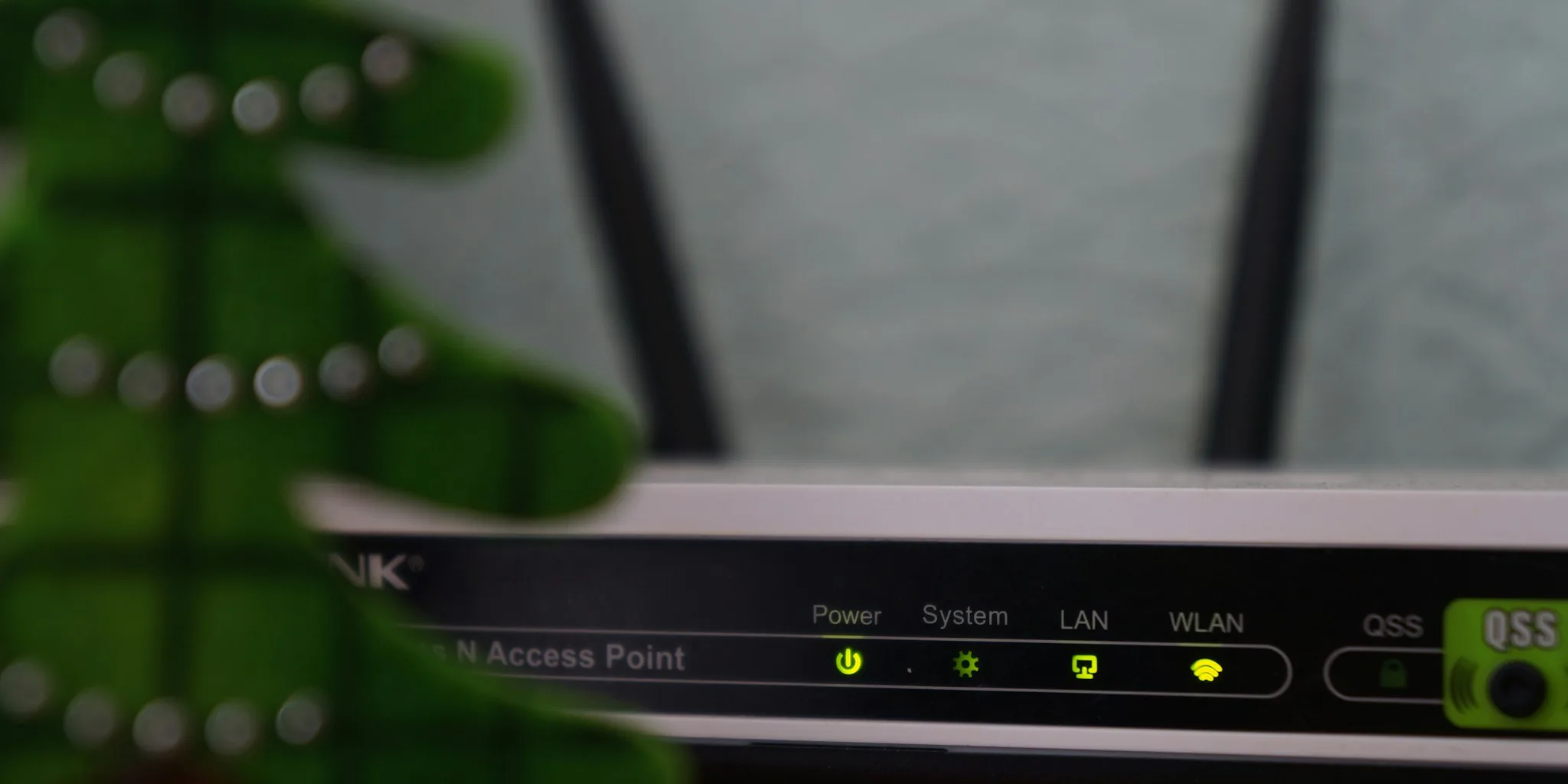
Most smart bulbs sold today use 2.4 GHz Wi-Fi, which lets you control them from anywhere in the world as long as your phone has internet access. Some bulbs, including several Linkind and Govee models in our list, support both Wi-Fi and Bluetooth. The Bluetooth connection acts as a fallback when your router is acting up and also reduces Wi-Fi congestion in apartments or homes packed with smart devices. A key point worth noting: virtually every bulb on the market right now specifies 2.4 GHz only, meaning a dual-band router set to 5 GHz only will not pair correctly. Check your router settings before you buy.
Hub-required systems like Philips Hue offer the most stable and feature-rich experience but add cost and a dedicated hub to your setup. Hub-free bulbs from Amazon Basics, Kasa Smart, and Govee connect directly to your router, making setup faster and cheaper. For most renters and homeowners who want to start small, hub-free is the practical choice.
Voice Assistant Compatibility
If you already own an Amazon Echo or Google Nest device, confirming voice assistant compatibility before purchasing saves real frustration. Nearly every Wi-Fi bulb in our roundup works with both Alexa and Google Assistant. The Amazon Basics smart bulb is the notable exception: it is designed for Alexa-only households and will not respond to Google Assistant commands. Philips Hue bulbs go a step further by also supporting Apple Home (HomeKit), making them the best fit for households built around iPhone and iPad automation. Apple Home support is still rare among budget brands, so if your home runs on HomeKit, the Philips Hue Essential Smart LED A19 is worth the price premium.
Color vs. Tunable White vs. Fixed White
Smart bulbs fall into three broad categories based on what they can do with light output. Full-color RGBWW bulbs, like the Govee and Linkind options in our list, can produce virtually any hue from deep red to cool blue and everything in between. They are ideal for accent lighting, entertainment rooms, and anyone who enjoys experimenting with atmosphere. Tunable white bulbs, such as the Linkind warm-to-daylight model, shift only along the white spectrum from a warm 2700K candle glow to a crisp 6500K daylight tone. These work beautifully in kitchens, home offices, and reading nooks where accurate color rendering matters more than party lighting. Fixed white bulbs, including the Boxlood dusk-to-dawn and ProPOW motion sensor models, output a single color temperature and prioritize function (automation, sensor response) over aesthetics.
Brightness and Energy Efficiency
Lumens measure actual light output, not watts. A 9-watt smart LED producing 800 lumens replaces a 60-watt incandescent, and a 12-watt LED at 1,100 lumens matches a 100-watt bulb. Most of the standard smart bulbs in our list output between 800 and 1,000 lumens, which is sufficient for a bedside lamp or overhead fixture in a small room. For large open-plan spaces or outdoor fixtures covering a wide area, look for bulbs rated at 1,000 lumens or higher. The ProPOW radar motion sensor bulb earns attention here with its 1,100-lumen output at 12 watts, making it a strong performer for driveways and garages where you need serious brightness that snaps on automatically.
Smart Features: Schedules, Scenes, and Music Sync
Beyond simple on/off control, modern smart bulbs offer scheduling, preset scenes, and music sync that react to the beat of whatever is playing. Govee, Linkind, and DAYBETTER all include music sync in their companion apps. Preset scenes let you save and recall a specific brightness and color combination, which is helpful for movie night, morning routines, or winding down before bed. The Linkind RGBTW bulb ships with 104 preset scenes, one of the highest counts in this price range. If you plan to use smart bulbs as a functional automation layer rather than just decorative lighting, look for bulbs that support routines inside the Alexa or Google Home app rather than only inside the manufacturer’s proprietary app, as that keeps your entire home system in one place.
Sensor Bulbs: Dusk-to-Dawn and Motion Detection
Not every smart bulb relies on an app or voice command. Sensor-equipped bulbs like the Boxlood dusk-to-dawn and the ProPOW radar motion detector operate entirely on their own once screwed in. The Boxlood uses a built-in photocell to turn on at dusk and off at dawn without any timer programming, making it a set-it-and-forget-it solution for porches, garages, and yard fixtures. The ProPOW goes one step further with a radar motion sensor that triggers the light when someone moves within range, then shuts off after the area clears. These are genuinely useful for security, energy savings, and anyone who forgets to turn off outdoor lights. They require no hub, no app, and no Wi-Fi, which also makes them completely reliable during internet outages.
CRI: Why Color Accuracy Matters
Color Rendering Index (CRI) measures how accurately a light source reveals the true colors of objects compared to natural sunlight. A CRI of 90 or above is considered excellent and makes a noticeable difference in kitchens, bathrooms, and workspaces where you need to see food, skin tones, or fine detail accurately. The Linkind tunable white bulb in our list specifically calls out a CRI above 90, which sets it apart from most color-changing bulbs that prioritize vibrancy over color accuracy. If your priority is task lighting rather than mood lighting, CRI deserves as much attention as lumens and wattage.
Fitting and Base Type
Every bulb in our list uses the standard E26 medium base, which fits the overwhelming majority of household lamps and overhead fixtures in North America. Before purchasing multi-packs, double-check that your fixture actually takes an A19 form factor rather than a BR30 flood, a candelabra E12 base, or a PAR shape. Buying a four-pack only to discover your fixture needs a different base type is a frustrating and avoidable mistake.
Why Trust HomeThru
HomeThru is an independent editorial platform. We are not a retailer, a manufacturer, or an affiliate of any brand featured in our guides. Our team researches, evaluates, and compares products using verified specifications, user feedback patterns, and technical documentation. We do not receive payment from brands for favorable placement. Every recommendation in this guide reflects our honest assessment of real-world value for homeowners. Our lighting coverage fits into a broader home improvement research program that also spans cordless drill sets, impact drivers for DIY and professional projects, and other tools that help you maintain and improve your home with confidence.
Final Thoughts
The smart light bulb market offers genuinely strong options at every price point, from budget-friendly sensor bulbs that need no app whatsoever to premium ecosystem bulbs that integrate deeply with Alexa, Google Assistant, and Apple Home. Here is our quick-reference summary of standout picks from this guide:
- Best Overall: Philips Hue Essential Smart LED A19 Bulb 4-Pack delivers the widest color range (2200K to 6500K), rock-solid app reliability, and compatibility with Alexa, Google Assistant, and Apple Home in a single package.
- Best Warm White Upgrade: Philips Hue Smart LED A19 Bulb 4-Pack Warm White offers consistently warm 2700K light with smooth dimming and top-tier app stability for bedrooms and living areas.
- Best Budget Color Bulb: Amazon Basics Smart A19 LED Light Bulb gives Alexa households a color-changing, dimmable option at an entry-level price point with no hub required.
- Best for Outdoor Automation: Boxlood Dusk to Dawn Light Bulbs handle porch and yard lighting completely on their own using a built-in photocell sensor, with no app, hub, or Wi-Fi needed.
- Best Value Multi-Pack: Kasa Smart Light Bulbs Full Color KL125P4 pack full RGBWW color changing, Alexa and Google Home support, and reliable 2.4 GHz Wi-Fi connectivity into an affordable four-pack suited for living rooms and entertainment spaces.
Whatever your setup, the best smart light bulbs will simplify your daily routines, reduce energy waste, and make your home feel more responsive to how you actually use it. If you are tackling a broader home upgrade alongside your lighting project, you may also find it useful to explore spirit levels for plumb and square installations, tape measures ranked for accuracy and durability, or versatile utility knives for trim work and cable runs. Getting the whole space right is easier when your tools keep up with your ambition.
Frequently Asked Questions
Do Smart Bulbs Work Without Wi-Fi?
Some smart bulbs offer limited local control via Bluetooth even when your Wi-Fi is down. Models like several Govee and Linkind bulbs in this guide support both Wi-Fi and Bluetooth for exactly this reason. Sensor-based bulbs such as the Boxlood dusk-to-dawn and ProPOW motion sensor models work entirely without any network connection, making them the most reliable option in areas with spotty internet service. For full remote control and voice assistant functionality, an active Wi-Fi connection is required.
Can I Mix Smart Bulbs from Different Brands?
You can mix brands across different fixtures and still control them through Alexa or Google Home as a unified system. However, color accuracy, brightness levels, and white tones will vary between manufacturers, which can look inconsistent in fixtures with multiple bulbs side by side. For the most visually cohesive result, stick with one brand per room or lamp group. For whole-home automation, Philips Hue offers the deepest integration with third-party smart home platforms including Apple Home.
Are Smart Bulbs Compatible with Dimmer Switches?
Most smart bulbs are designed to be used with standard non-dimmer switches and should not be installed behind a traditional dimmer. Smart dimming is handled through the app or voice command rather than the wall switch. Installing a smart bulb behind a conventional dimmer can cause flickering, buzzing, reduced lifespan, or connectivity issues. If you want in-wall dimming, look for smart switches designed to work with your bulb’s protocol. For simple setups, just leave the wall switch in the always-on position and control brightness through your phone or voice assistant instead. You might also find that claw hammers for basic fixture work and hand saws for trim adjustments come in handy when refreshing the physical space around your lighting setup.
How Much Energy Do Smart Bulbs Actually Save?
A typical smart LED bulb draws 8 to 9 watts while delivering the same light as a 60-watt incandescent, representing roughly an 85 percent reduction in energy use per bulb. Add scheduling and automation features and actual energy consumption drops further because bulbs are only on when genuinely needed. Over a household with a dozen fixtures, the cumulative savings on your electric bill across a year can be meaningful, particularly when combined with occupancy-based features like the motion sensor and dusk-to-dawn bulbs in this guide.
What Is the Difference Between RGBW and RGBWW Bulbs?
RGBW bulbs add a dedicated white LED channel to the standard red-green-blue array, allowing them to produce a brighter and cleaner white than mixing RGB alone. RGBWW goes one step further by adding a warm white LED channel alongside the cool white, giving you both crisp daylight tones and a soft, incandescent-like warmth from the same bulb. For living spaces where you want accurate white light for daily tasks and colorful ambiance for evenings, RGBWW is the better choice. Several bulbs in this guide, including the Govee and Linkind models, use RGBWW for exactly that reason. You might also appreciate having reliable circular saws for any shelf or housing project nearby if you are building out a dedicated media or accent lighting wall.
Still working on the rest of your home? Check out our coverage of random orbital sanders for smooth, swirl-free finishes and reciprocating saws for demolition and DIY to keep your renovation momentum going.