You’re already ten minutes down the highway when the thought hits you: did the garage door actually close? It’s one of those nagging worries that no homeowner should have to carry. The best smart garage door controllers solve that problem entirely by letting you monitor, open, and close your garage from anywhere using just your smartphone. Whether you’re pulling out of the driveway or sitting at your desk at work, you get real-time status alerts and full remote access without replacing your existing opener. These compact Wi-Fi devices bolt onto what you already have, making them one of the most practical and affordable smart home upgrades available. Beyond peace of mind, they integrate with Alexa, Google Assistant, Apple HomeKit, and SmartThings, so your garage fits neatly into a broader connected home ecosystem. Our team at HomeThru independently researched and evaluated the top options across reliability, compatibility, app experience, and smart home integration. Here are the nine controllers worth your attention.
Top Smart Garage Door Controllers
Pros
- Works with most major garage door opener brands, expanding compatibility with available adapters
- No recurring monthly fees for essential features like remote access, scheduling, and voice control
- Intuitive smartphone app and voice assistant integration provide flexible control options
- Real-time door status notifications give you peace of mind about your garage security
- Scalable solution for homes with multiple garage doors
Cons
- Not compatible with Ryobi brand garage door openers, limiting options for some homeowners
- Zero customer reviews available limits real-world feedback about long-term reliability and user experience
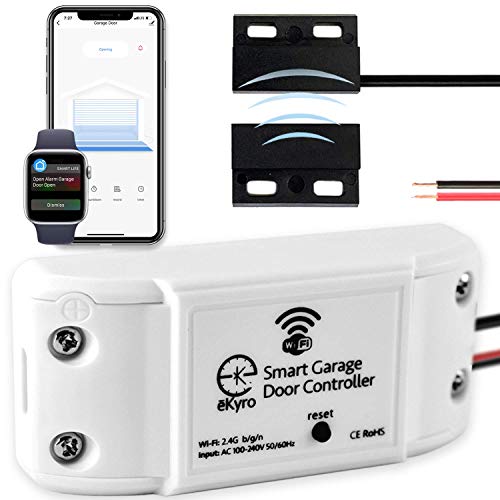
The eKyro Smart Garage Door Opener bridges the gap between traditional garage door systems and modern smart home technology. By connecting to your existing opener via a universal adapter, it eliminates the need for expensive replacement hardware while delivering comprehensive remote access and voice control capabilities. This approach makes smart garage automation accessible to most homeowners regardless of their current equipment.
What sets this device apart is its commitment to user freedom through zero monthly subscription fees. All core functionality, including remote door operation, scheduling, automatic closing, and mobile app access, comes included without recurring charges. Voice integration with Alexa, Google Home, and Siri works seamlessly, and the ability to pair multiple units means households with several garage doors can manage them all through a single ecosystem.
The real-time door status alerts and remote monitoring features address genuine security concerns for homeowners. Whether you're at work and need to verify your garage is closed or you want to grant temporary access to a service provider, the app-based controls provide practical solutions. The universal design philosophy means compatibility with most major opener brands, though potential buyers should confirm their specific model before purchasing.
| Specification | Details |
|---|---|
| Brand | eKyro |
| Model Type | Smart Garage Door Opener Controller |
| Compatibility | Universal adapter for most garage door openers (excludes Ryobi) |
| WiFi Connectivity | Yes, connects to home WiFi network |
| Voice Assistant Support | Alexa, Google Home, Siri, Google Assistant |
| Mobile App | iPhone and Android compatible |
| Smartwatch Support | Yes, compatible with smart watches |
| Monthly Fees | None for core features |
| Multiple Door Support | Yes, each door requires separate unit |
| Key Features | Remote control, scheduling, automatic closing, door status alerts, security monitoring |
| Adapter Requirements | May be required depending on opener model |
Initial Setup: Start by connecting the eKyro adapter to your existing garage door opener following the included instructions. Connect the device to your home WiFi network using the mobile app, then pair it with your smartphone or tablet.
Remote Control: Open the eKyro app on your phone to view your garage door status in real-time. Tap to open or close the door from anywhere with cellular or WiFi service. Set up automatic closing schedules to ensure your door closes at specific times each day.
Voice Commands: Link your eKyro account to Alexa, Google Home, or Siri through the respective app settings. Once connected, simply say commands like "Alexa, close my garage door" or "Hey Google, open the garage" for hands-free operation.
Multi-Door Setup: If you have multiple garage doors, purchase a separate eKyro unit for each door and pair them through the app. You can manage all doors from a single dashboard and set individual schedules for each entrance.
Notifications: Enable door status alerts in the app to receive notifications when your garage door opens, closes, or remains open for extended periods. This helps you monitor security and catch unexpected activity.
Leverage Scheduling: Use the automatic closing feature to set a specific time each evening when your garage door closes automatically. This adds a security layer if you ever forget to close it manually, and it works without any monthly subscription costs.
Create Guest Access: Many homeowners use the app to grant temporary access to contractors, delivery services, or family members. Set time-limited permissions so access automatically expires after a specific date.
Combine with Routines: If you use Alexa or Google Home, create routines that trigger your garage door alongside other smart home actions. For example, "Goodnight" could close your garage, lock doors, and turn off lights simultaneously.
Monitor from Work: Check your garage door status during the workday to verify it's closed. This peace of mind costs nothing and takes seconds, making it one of the most practical smart home upgrades for busy homeowners.
Check Compatibility Early: Before purchasing, verify your specific garage door opener model is compatible. Contact eKyro support if you're unsure, as some models may require the optional adapter.
Who Should Buy This: Homeowners with existing garage door openers who want smart home integration without replacing expensive hardware. It's ideal if you own multiple doors, want voice control, or need remote monitoring for security and convenience.
Compatibility Considerations: This device works with most major garage door opener brands, but Ryobi users should look elsewhere. Verify your specific opener model is supported before purchasing. eKyro offers adapters for some models that aren't directly compatible, so reach out to their support team if you're unsure.
What You Get: The eKyro Smart Garage Door Opener controller, necessary hardware for installation, and access to the mobile app. Installation typically takes 30 minutes to an hour for someone comfortable with basic electrical connections. No professional installation is usually required.
Cost Considerations: There are no monthly subscription fees for any core features. Optional SMS and phone call alerts may incur additional charges, but they're not necessary for the device to function fully. Each additional garage door requires a separate unit.
Smart Home Integration: If you already use Alexa, Google Home, or Siri, the eKyro integrates smoothly into your existing ecosystem. It works on smartphones, tablets, and smartwatches, giving you flexibility in how you control and monitor your garage.

Pros
- Works with most existing garage door openers, making it an affordable smart home upgrade
- Simple app-based control and scheduling eliminates constant worry about door security
- Compatible with Amazon Key In-Garage Delivery, adding convenience for Prime members
- Bluetooth setup process is faster and easier than traditional WiFi-only smart devices
- Expandable system allows control of a second garage door with an additional sensor
Cons
- Incompatible with certain Chamberlain Group openers with yellow learn buttons made between 2010-2021 and all Linear openers, limiting compatibility for some users
- Requires a 2.4 GHz WiFi router positioned within 50 feet of the hub, which may be problematic for homes with weak WiFi coverage in garage areas
The Chamberlain myQ Smart Garage Control Hub addresses one of homeowners' most common anxieties: the uncertainty of whether the garage door is closed. This wireless hub and sensor system integrates with your existing garage door opener, transforming it into a smart device you can control from your smartphone using the free myQ app. Whether you're at work, on vacation, or simply in bed, you gain the ability to open or close your garage door remotely and receive real-time notifications about its status.
Installation is straightforward for most homeowners, as the system works with the majority of garage door openers manufactured after 1993 without requiring a full opener replacement. The Bluetooth connectivity during setup simplifies the initial configuration process compared to traditional WiFi-only smart home devices. Once connected, the hub communicates via your 2.4 GHz WiFi network, allowing you to share temporary access with family members, contractors, or delivery services through the app. For Amazon Prime members, this hub qualifies for Amazon Key In-Garage Delivery, enabling packages to be securely placed in your garage.
The scheduling feature proves particularly valuable for homeowners who want automated peace of mind. You can set the garage door to automatically close at specific times each evening, eliminating the nagging question of whether you remembered to shut it before bed. The system also supports expanding to a second garage door with an additional sensor purchase, making it scalable for multi-door households. However, potential buyers should verify compatibility with their specific opener model before purchasing, as certain Chamberlain openers with yellow learn buttons from 2010-2021 and all Linear openers are not supported.
| Specification | Details |
|---|---|
| Brand | Chamberlain |
| Model | myQ-G0401-ES |
| Color | White |
| Connectivity | WiFi (2.4 GHz 802.11 B/G/N) and Bluetooth |
| WiFi Router Range | Within 50 feet of hub |
| Compatible Openers | Most brands manufactured after 1993 with photoelectric sensors |
| Not Compatible With | Chamberlain openers with yellow learn button (2010-2021), all Linear openers, openers with photoelectric sensors that power off after door closes |
| Door Type | Sectional garage doors only |
| App Availability | iPhone and Android |
| Additional Features | Remote access, scheduling, family sharing, Amazon Key In-Garage Delivery compatible |
| Expandability | Second door control available with additional sensor (sold separately) |
| Certification | US use only |
Initial Setup: Start by downloading the free myQ app on your iPhone or Android device. Use Bluetooth to connect the hub to your smartphone during the initial pairing process. Once Bluetooth setup is complete, connect the hub to your 2.4 GHz WiFi network using the app. Position the hub within 50 feet of your WiFi router for optimal signal strength.
Basic Operation: Open the myQ app to view your garage door status in real-time. Tap the open or close button to control your door from anywhere with an internet connection. The app displays whether the door is open, closed, or in motion, along with timestamps of recent activity.
Setting Schedules: Navigate to the scheduling feature in the app to set automatic close times. This is particularly useful for establishing a nightly automatic close at a set time, such as 10 PM. You can create multiple schedules for different days of the week.
Sharing Access: Use the app's sharing feature to grant temporary or permanent access to family members, friends, or service providers. Recipients can download the myQ app and control the door using their own credentials without knowing your password.
WiFi Placement Matters: Position your WiFi router centrally in your home or as close to the garage as practical. If the hub is more than 50 feet away from your router, consider using a WiFi extender or mesh network system to ensure reliable connectivity and responsiveness.
Leverage Automation: Set your garage door to automatically close at a specific time each evening. This creates a safety net if you ever forget to close it manually, and it's particularly useful during busy mornings when you're rushing out the door.
Use Temporary Access Wisely: When sharing access with contractors, delivery services, or guests, set expiration times on their access permissions. This keeps your home secure by automatically revoking access after the service is completed or the visit ends.
Monitor Activity Logs: Regularly check the activity log in the myQ app to see who opened or closed your garage door and when. This helps you identify any unusual activity and maintain awareness of who has accessed your garage.
Combine with Other Smart Home Devices: Integrate the myQ hub with other smart home systems and routines. For example, you can set your garage door to close automatically as part of a 'leaving home' routine that also arms your security system and turns off lights.
Check Your Opener Compatibility: Before purchasing, verify that your garage door opener is compatible with the myQ system. The hub works with most openers manufactured after 1993, but there are important exceptions. Chamberlain Group openers with a yellow learn button made between 2010 and 2021 are not compatible, nor are any Linear openers. Check your opener's manual or contact the manufacturer if you're unsure.
Assess Your WiFi Network: Ensure you have a 2.4 GHz WiFi network (not just 5 GHz) and that your router can be positioned within 50 feet of where you'll install the hub. Homes with weak WiFi coverage in the garage area may experience connectivity issues.
Consider Your Needs: This system is ideal if you frequently worry about whether you closed the garage door, want remote access for emergencies, or need to grant temporary access to service providers or family members. If you rarely leave home or have a garage door opener with integrated smart features, this may be unnecessary.
Plan for Expansion: If you have multiple garage doors, note that you'll need to purchase an additional sensor for each additional door beyond the first one. Factor this into your budget if you plan to automate multiple doors.
Understand the Limitations: Remember that this system is designed for sectional garage doors only and is certified for US use. Also, the system requires an active internet connection and functioning WiFi network to operate remotely. Local control via the app requires the hub to be connected to your home WiFi.

Pros
- Exceptional multi-platform compatibility covers all major smart home ecosystems
- Eliminates need for a separate hub, reducing setup complexity and cost
- Reliable WiFi connectivity provides consistent remote access and notifications
- Voice control works naturally with multiple voice assistants
- Universal installation fits most garage door opener models
Cons
- Requires stable WiFi network; connectivity issues will prevent remote access
- Initial setup involves wiring to your existing garage door opener, which may require professional installation for some users
The Meross Smart Garage Door Opener Remote delivers genuine convenience for homeowners who want to monitor and control their garage door from anywhere. The standout feature is its exceptional compatibility across multiple smart home platforms including Apple HomeKit, Alexa, Google Home, and SmartThings, making it a practical choice whether you've invested in one ecosystem or multiple platforms. The app provides real-time status updates and activity logs, so you always know whether your door is open or closed.
Installation is straightforward for users comfortable with basic wiring, as the device connects directly to your existing garage door opener without requiring a separate hub. Voice control works reliably across supported assistants, and the CarPlay integration means you can trigger your garage door while driving. Response times are generally quick, and the device maintains stable connectivity in typical home WiFi environments.
The main limitation is its dependence on WiFi connectivity, which means network outages will temporarily prevent remote access. Additionally, some older or specialized garage door openers may have compatibility issues, so verifying your door model before purchase is important. For most homeowners with standard openers and reliable internet, this is a solid investment in garage door automation.
| Specification | Details |
|---|---|
| Brand | Meross |
| Model | Smart Garage Door Opener Remote |
| Compatibility | Apple HomeKit, Siri, CarPlay, Amazon Alexa, Google Home, SmartThings, Android |
| Connection Type | WiFi (2.4GHz and 5GHz) |
| Hub Required | No |
| Installation Type | Wired connection to garage door opener |
| Features | Remote app control, voice control, real-time notifications, activity history, status monitoring |
| Power Supply | Hardwired to garage door opener circuit |
| Universal Compatibility | Works with most standard garage door openers |
Installation: Turn off power to your garage door opener at the breaker. Connect the Meross device to your opener's control terminals following the included wiring diagram. Restore power and download the Meross app.
App Setup: Create or log into your Meross account in the app. Add the device to your WiFi network and configure it for your specific garage door opener model. The app will guide you through testing the open and close functions.
Smart Home Integration: For HomeKit, scan the HomeKit code in the app or on the device. For Alexa or Google Home, enable the Meross skill or action and link your account. Once linked, you can control the garage door through voice commands, automations, and routines.
Daily Use: Open the app to trigger the garage door, check its status, or set up automations like closing at sunset. Use voice commands like 'Alexa, open my garage door' for hands-free control while driving or carrying items.
Verify Compatibility First: Check your garage door opener model against Meross compatibility lists before purchasing. Some older or specialty openers may not work properly.
Secure Your WiFi: Use a strong, unique password for your home network. The Meross device will transmit open/close commands over WiFi, so network security is important.
Test Thoroughly: After installation, test the opener and closer functions multiple times before relying on remote control. Ensure the door stops and reverses properly if an obstruction is detected.
Keep Manual Control Available: Always maintain the ability to operate your garage door manually or with the original remote. Smart devices can fail or lose connectivity, and you need backup access.
Monitor Access Logs: Regularly review the activity history in the app to spot unauthorized access attempts. Share access credentials only with trusted household members.
Who Should Buy This: Homeowners with standard garage door openers who want app and voice control without adding a hub. Ideal for those already invested in HomeKit, Alexa, or Google Home ecosystems.
Before You Buy: Verify your garage door opener model is compatible. Check that your home WiFi is strong in the garage area. Confirm you're comfortable with basic wiring or have a professional available for installation.
What You'll Need: A smartphone for app control, a WiFi network with good garage coverage, and basic electrical knowledge or a professional electrician for wiring. No additional hub or subscription is required for core functionality.
Installation Considerations: If your garage door opener is mounted high or in a difficult location, professional installation may be worth the cost. The wiring itself is simple, but running wires safely may require expertise.
Long-Term Value: This is a one-time purchase with no ongoing subscription fees. It adds genuine convenience and security to your home and integrates with other smart devices you may already own.

Pros
- Hub-free setup means faster installation and fewer devices to manage
- Multi-platform compatibility gives you flexibility across major voice assistants
- Remote access from anywhere provides convenience and peace of mind
- Push notifications keep you informed of garage activity in real time
- App interface is intuitive and straightforward for most homeowners
Cons
- Requires stable WiFi connection; performance may suffer in areas with weak signal
- Initial setup requires some technical comfort with smartphone apps and WiFi networks
The Meross Smart WiFi Garage Door Opener Remote transforms your garage into a connected device by giving you smartphone control and voice command capability. This unit eliminates the need for a separate hub, which simplifies your smart home setup and reduces the number of devices cluttering your network. Whether you're at work, running errands, or traveling, you can open or close your garage door from the app with just a few taps.
Integration with major voice assistants like Alexa and Google Assistant means you can manage your garage hands-free, which is especially convenient when you're carrying groceries or have your hands full. The SmartThings compatibility also makes it easy to incorporate garage door control into broader home automation routines and automations. Real-time notifications alert you whenever the garage door opens or closes, giving you visibility into who's accessing your garage and when.
Installation is straightforward for most homeowners with basic technical skills. The device connects directly to your existing WiFi network, and the app walks you through the pairing process. However, a reliable WiFi signal is essential for consistent performance, so placement of your router or a WiFi extender may be necessary if your garage is far from your network hub.
| Specification | Details |
|---|---|
| Connectivity | WiFi (2.4GHz) |
| Compatibility | Alexa, Google Assistant, SmartThings |
| Hub Required | No |
| Installation | No professional wiring needed |
| Notifications | Real-time push alerts via app |
| Security | Encrypted connection |
| Control Method | Smartphone app, voice commands |
| ASIN | B07L5DPK8P |
Initial Setup: Download the Meross app on your smartphone, create an account, and follow the in-app pairing instructions. Connect the device to your 2.4GHz WiFi network. The setup typically takes 5-10 minutes for users comfortable with basic app navigation.
Opening and Closing: Use the app to open or close your garage door with a single tap. You can also set up voice commands by linking the device to Alexa, Google Assistant, or SmartThings. Simply say commands like 'Alexa, open the garage' to control access hands-free.
Monitoring: Check the app anytime to see your garage door status. Enable notifications in the app settings to receive alerts whenever the door opens or closes, keeping you informed of all garage activity.
Is This Right for You? Choose this smart garage door opener if you want remote smartphone control, voice command integration, and real-time notifications without the complexity of a separate hub. It works best for homeowners who already use Alexa, Google Assistant, or SmartThings and want to expand their smart home ecosystem.
What to Consider: Ensure your WiFi network reaches your garage reliably. If your garage is far from your router, you may need a WiFi extender. Also verify that your garage door opener is compatible with the Meross system before purchasing.
Installation Expectations: This is a DIY-friendly device that most homeowners can install without professional help. Basic smartphone and app familiarity is helpful but not required, as the setup process is guided step-by-step.

Pros
- Combines keypad entry, video surveillance, and smart notifications in one device, reducing the need for multiple systems
- Flexible PIN code management with time-based access is perfect for managing contractors, delivery services, and family members
- Two-way audio communication adds an extra layer of security and convenience
- Wide-angle lens captures comprehensive coverage of garage entry points and driveway
- Integrates seamlessly with existing Chamberlain and LiftMaster garage door systems
Cons
- Premium features like AI-powered detection and video history require a paid subscription after the free trial ends
- Limited to single garage door opener control, so homes with multiple doors need additional units
The myQ Smart Garage Door Video Keypad is a well-designed solution for homeowners seeking both convenient access control and visual monitoring at their garage entrance. The integration of a wide-angle camera directly into the keypad eliminates the need for separate security cameras, while the motion detection system provides real-time awareness of activity around your garage area. The ability to create customizable PIN codes with time-specific permissions makes managing access for family members, guests, and service providers straightforward and secure.
The two-way audio feature enhances the security experience by allowing you to communicate directly with visitors or delivery personnel without opening the door. Live video streaming through the myQ app ensures you can check on your garage anytime, anywhere, and recorded events help you stay informed about what happens when you're away. The keypad's compatibility with Chamberlain, LiftMaster, and Craftsman openers makes it an accessible upgrade for many existing garage door systems, and the optional wired power adapter provides a maintenance-free alternative to battery operation.
One important consideration is that advanced features like AI-powered detection for people, cars, and packages require a paid subscription after the included free trial. This ongoing cost should be factored into your budget if you want to maximize the device's security capabilities. Additionally, the keypad controls only a single garage door, so homes with multiple doors will need to purchase additional units for each opening.
| Brand | Chamberlain |
| Product Type | Smart Garage Door Video Keypad |
| Camera Features | Wide-angle lens with motion detection |
| Audio | Two-way audio communication |
| Access Control | Customizable PIN codes with time-specific permissions |
| Smart Features | Real-time notifications, live video streaming, recorded event playback |
| Premium Features | AI-powered detection (people, cars, packages), video history, enhanced motion detection - subscription required |
| Compatibility | LiftMaster, Chamberlain, and Craftsman garage door openers manufactured after 1993 |
| Control Method | myQ smartphone app |
| Power Options | Battery-powered (standard) or wired power adapter (sold separately) |
| Coverage | Single garage door opener |
Installation and Setup
The myQ Smart Garage Door Video Keypad mounts directly at your garage entry point. After physical installation, download the myQ app and follow the pairing process to connect the keypad to your existing Chamberlain, LiftMaster, or Craftsman garage door opener. The device works with openers manufactured after 1993, so verify your opener's age before purchasing.
Creating PIN Codes
Use the myQ app to generate unlimited custom PIN codes for different users. Each code can be set with specific time windows - for example, you might create a code that only works on weekdays from 8am to 5pm for a contractor, or a weekend-only code for a visiting family member. This flexibility makes it easy to manage access without sharing your primary PIN.
Monitoring and Notifications
Enable motion detection in the app settings to receive real-time alerts when activity is detected at your garage. Check the live video feed anytime through the app to see what's happening at your garage entry. Two-way audio allows you to speak directly through the keypad to communicate with visitors or delivery personnel remotely.
Optimize PIN Code Management: Create separate codes for different user groups (family, contractors, delivery services) rather than sharing one code. This helps you track who accessed your garage and when, improving security and accountability.
Use Time-Based Access: Set expiration windows for temporary codes so access automatically expires without you having to manually disable them. This is especially useful for one-time deliveries or short-term service appointments.
Consider the Power Adapter: If battery replacement feels like a maintenance burden, invest in the optional wired power adapter kit. This eliminates the need to regularly change batteries and ensures the camera always has reliable power for continuous operation.
Check Camera Angle: Position the keypad where the wide-angle camera can capture both your driveway and garage entry. This maximizes visibility and helps you see packages, vehicles, and visitors clearly.
Enable Premium Trial: Take advantage of the included free trial for premium features to evaluate whether AI-powered detection and video history justify the subscription cost for your specific needs before committing to ongoing payments.
Is This Right for You?
The myQ Smart Garage Door Video Keypad is ideal if you want to combine keypad entry with video surveillance in a single device. It's particularly valuable if you frequently grant access to guests, contractors, or delivery services and want the ability to monitor activity remotely. The time-based PIN feature makes managing temporary access much easier than traditional keypads or remotes.
Compatibility Check
Before purchasing, verify that your garage door opener is a Chamberlain, LiftMaster, or Craftsman model manufactured after 1993. Older openers or other brands may not be compatible. Check your opener's label or consult your garage door documentation to confirm compatibility.
Budget Considerations
Factor in the cost of a myQ subscription if you want advanced AI detection features and video history. The free trial lets you experience these capabilities, but ongoing costs should be part of your decision. The optional wired power adapter is an additional investment if you prefer not to manage batteries.
Single vs. Multiple Doors
Each keypad controls one garage door opener. If you have multiple garage doors, you'll need to purchase additional units for each opening. Plan your setup accordingly if you manage more than one door.
Pros
- No subscription fees or hidden costs for app access and remote control
- Installation is straightforward without requiring extra adapters or door sensors
- Comprehensive security features including activity history, open/close alerts, and auto-close scheduling
- Broad voice assistant compatibility covers most smart home ecosystems
- Perfect for renters and homeowners who want quick smart upgrades
Cons
- Limited compatibility restricted to Chamberlain, LiftMaster, and Craftsman openers with Security+ 1.0/2.0 protocols only
- Requires 2.4GHz WiFi network, which may be problematic for homes relying solely on 5GHz networks
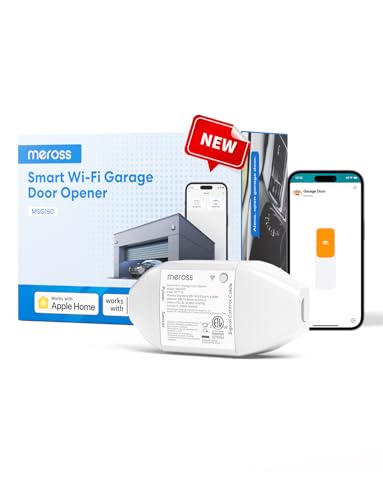
The Meross Smart Garage Door Opener Remote (MSG150HK) delivers straightforward remote access and voice control for compatible garage door openers without the burden of monthly subscriptions. For homeowners with Chamberlain, LiftMaster, or Craftsman openers using Security+ 1.0 or 2.0 protocols, this device eliminates the need for hidden spare keys and enables convenient operation from your smartphone or through voice commands while your hands are full.
Security features stand out as a major strength. The app provides real-time activity logs showing every open and close event, customizable alerts for doors left open too long, and automatic closing at a specified time or after a set duration. These capabilities give homeowners genuine peace of mind, especially for those who frequently worry about whether they closed the garage after leaving home.
Installation is notably simpler than many competing solutions since no additional adapters or wired door sensors are required. The 2.4GHz WiFi requirement is worth noting for homes with primarily 5GHz networks, and the compatibility limitation to specific opener brands means verifying your model before purchasing. Overall, this is a practical choice for busy families, frequent travelers, and renters seeking smart home integration without complex setup or ongoing fees.
| Specification | Details |
|---|---|
| Brand | Meross |
| Model | MSG150HK |
| Category | Smart Garage Door Remote |
| Compatible Brands | Chamberlain, LiftMaster, Craftsman |
| Compatible Protocols | Security+ 1.0, Security+ 2.0 |
| Not Compatible With | Security+ 3.0, Green learn button, White learn button openers |
| Voice Assistants | Apple Siri, Amazon Alexa, Google Assistant, Alexa, SmartThings |
| Smart Home Platforms | Apple HomeKit, Amazon Alexa, Google Home, SmartThings, CarPlay |
| Network Requirement | 2.4GHz WiFi |
| Installation | No additional adapters or wired sensors required |
| Subscription Fee | None |
| Key Features | Remote app control, voice commands, activity history, open/close alerts, auto-close scheduling, activity notifications |
| Rating | 4.2 out of 5 stars |
Initial Setup: Download the Meross app on your smartphone, create an account, and add the garage door opener to your home. Connect the device to your 2.4GHz WiFi network. The app will guide you through pairing with your compatible Chamberlain, LiftMaster, or Craftsman garage door opener.
Remote Control: Once connected, open the Meross app to view your garage door status and tap to open or close it from anywhere. You can also add the garage door to your HomeKit, Alexa, or Google Home app for unified control across your smart home ecosystem.
Voice Commands: Use voice commands like 'Alexa, open the garage door' or 'Hey Siri, close the garage' when your hands are full. Set up auto-close scheduling in the app to automatically close the door after a specified time or at a set time each day. Enable notifications to receive alerts whenever the door opens, closes, or remains open longer than your preferred duration.
Compatible Openers: This remote works with most Chamberlain, LiftMaster, and Craftsman garage door openers manufactured in recent years. Specifically, it supports openers using Security+ 1.0 and Security+ 2.0 protocols.
How to Check Your Opener: Look at your garage door opener's learn button. If it is green or white, or if your opener uses Security+ 3.0 protocol, this remote will not be compatible. You can verify your opener model number on the device itself or in your original documentation.
Alternative Option: If your garage door opener is not compatible with this model, Meross offers the MSG100HK universal smart garage door remote designed for a broader range of opener brands and protocols.
Network Requirements: Your home must have a 2.4GHz WiFi network available. This remote does not support 5GHz-only networks, so ensure your router broadcasts on the 2.4GHz band.
Maximize Security: Enable all notification settings in the app to receive alerts for every open and close event. Set up auto-close scheduling for evening hours so you never wonder if you left the garage open overnight. Review activity history regularly to spot unusual patterns.
Smart Home Integration: Add your garage door to HomeKit scenes or Alexa routines. For example, create a 'Leaving Home' scene that closes the garage when you arm your security system or a 'Movie Time' routine that closes the door when you start a movie.
WiFi Optimization: Position your router or WiFi extender to ensure strong 2.4GHz signal in your garage area. Weak WiFi can cause delays in door operation or app responsiveness. Test your signal strength before finalizing installation.
Guest Access: Use the app to grant temporary access to family members, service providers, or delivery couriers without sharing your main password. Set time-limited permissions that automatically expire.
Pros
- Easy DIY installation without hiring a professional technician
- Affordable way to add smart home features to an existing garage door opener
- Convenient guest access management for deliveries and visitors
- Multi-platform control through app, voice commands, and smartphone notifications
- No additional hub purchase needed - uses your existing Wi-Fi network
Cons
- Only compatible with 2.4 GHz Wi-Fi networks; 5 GHz connections are not supported, which may require router adjustments in some homes
- Limited compatibility information upfront - you must scroll through technical specifications to verify if your specific garage door opener model is supported
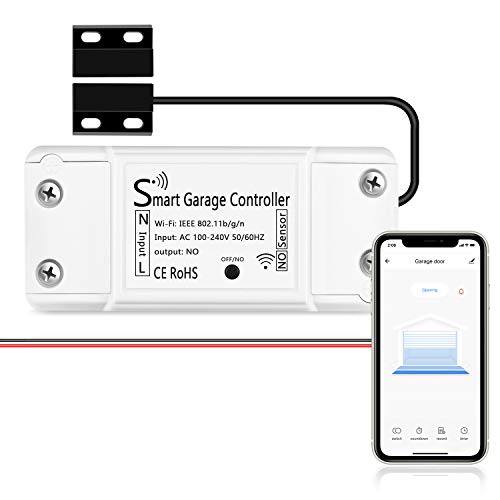
The AGSHOME Smart Wi-Fi Garage Door Opener Remote transforms a standard garage door into a connected device without requiring a dedicated hub or professional installation. This controller bridges your existing garage door opener to your smartphone and smart home ecosystem, enabling you to manage access from the office, while traveling, or simply from inside your home. The setup process is straightforward, with wireless installation and instructional videos designed to get homeowners up and running in minutes rather than hours.
Remote access through the SmartLife app provides real-time visibility into your garage door status and allows you to grant temporary access to family members, guests, or delivery personnel. Voice control integration with Alexa, Google Assistant, and SmartThings adds another layer of convenience, letting you open or close the door with a simple command. The device also sends notifications whenever the garage door opens or closes, giving you peace of mind about unauthorized access or unexpected activity.
One important consideration is the Wi-Fi requirement: this device only works with 2.4 GHz networks and does not support 5 GHz connections, so homeowners with dual-band routers may need to adjust settings. Additionally, while the product claims broad compatibility with most garage door opener brands, verifying your specific model's compatibility requires reviewing the detailed technical specifications. For budget-conscious homeowners looking to add smart garage control without replacing their existing opener or paying for professional installation, this device offers practical functionality at an accessible price point.
| Brand | AGSHOME |
| Product Type | Smart Wi-Fi Garage Door Opener Remote |
| Control Methods | Smartphone app, voice commands (Alexa, Google Assistant, SmartThings), remote |
| Wi-Fi Compatibility | 2.4 GHz only (5 GHz not supported) |
| Hub Required | No |
| Installation Type | Wireless (DIY) |
| Notifications | Real-time alerts for door opening and closing |
| Guest Access | Yes - smartphone control for family, guests, and delivery personnel |
| Compatibility | Most major garage door opener brands (verify specific model in technical guide) |
| Rating | 4 out of 5 stars |
Initial Setup: Download the SmartLife app on your smartphone and create an account. Power on the AGSHOME device and follow the in-app pairing instructions to connect it to your 2.4 GHz Wi-Fi network. The device will guide you through connecting to your existing garage door opener using the provided step-by-step video tutorial.
Remote Control: Once connected, open the SmartLife app to view your garage door status and tap the open or close button. The app displays real-time notifications when the door operates, and you can control it from anywhere with an internet connection.
Voice Control Setup: Link your SmartLife account to Alexa, Google Assistant, or SmartThings through their respective apps. Once connected, simply say commands like 'Alexa, open my garage door' to control access hands-free.
Guest Access: Use the app to send temporary access codes or permissions to family members, guests, or delivery services. Recipients can control the garage door through their own smartphones during the time window you specify.
Is This Right for You? This device works best for homeowners who want to add smart garage control to an existing opener without replacing the entire system. It's ideal if you frequently need to grant access to others, want voice control convenience, or prefer managing your home remotely.
Before You Buy: Check that your garage door opener brand and model appear in the technical specifications compatibility list. Confirm your home Wi-Fi router supports 2.4 GHz connections (most modern routers do, but some may require enabling a separate 2.4 GHz band). Ensure your smartphone and smart home devices run compatible operating systems.
Installation Considerations: While this is a DIY installation, you should be comfortable following electrical connections to your garage door opener. The device comes with detailed instructions and video guidance. No professional installation is required, which saves money compared to hiring a technician.
Security and Privacy: Use a strong password for your SmartLife account and enable two-factor authentication if available. Be selective when granting guest access permissions and revoke them when no longer needed. Monitor notifications regularly to spot any unauthorized access attempts.
Optimize Your Wi-Fi Connection: Place your router in a central location to ensure strong 2.4 GHz signal reach to your garage. If your router broadcasts both 2.4 GHz and 5 GHz bands, disable 5 GHz temporarily during setup to avoid connection conflicts. Once connected, you can re-enable 5 GHz for other devices.
Leverage Voice Control Routines: Create smart home routines in Alexa or Google Home that open your garage door as part of a morning or arrival sequence. For example, 'Alexa, I'm home' can unlock your garage door along with turning on lights.
Manage Guest Access Efficiently: Instead of sharing your main account password, use the guest access feature to grant temporary permissions to delivery drivers or service providers. This maintains security while providing necessary access during specific time windows.
Monitor Activity Regularly: Check your app's activity log weekly to confirm only authorized users are accessing your garage door. This early warning system helps catch any suspicious activity before it becomes a problem.
Test Backup Controls: Regularly verify that your remote, app, and voice commands all work properly. This ensures you have multiple ways to access your garage if one method fails.

Pros
- Universal compatibility eliminates the need to replace your existing garage door opener
- Fast Bluetooth setup process gets you connected and controlling your door within minutes
- Supports Amazon Key delivery service for added home security and package safety
- Sleek, modern design won't clutter your garage ceiling or walls
- Real-time monitoring and alerts give you peace of mind whether you're at work or on vacation
Cons
- Only works with garage doors that have photoelectric sensors and don't enter low-power mode, which may exclude some older or specialty models
- Requires a reliable WiFi connection and the myQ app to function, so connectivity issues could temporarily limit remote access
The LiftMaster myQ Smart Garage Control Hub transforms an ordinary garage door opener into a connected smart device without requiring a full replacement. By adding this compact hub and sensor to your existing system, you gain the ability to open, close, and monitor your garage door from your smartphone, whether you're at the office, on vacation, or simply inside the house. The universal design works with the vast majority of garage door openers installed after 1993, making it a cost-effective upgrade for homeowners with older or mid-range openers.
Installation is straightforward for most DIYers. The new mounting plate design simplifies the physical setup, while the Bluetooth Low Energy integration makes pairing with the myQ app remarkably quick. Rather than dealing with complex network configuration, you download the app, follow the in-app instructions, and you're ready to go within minutes. The compact white finish is thoughtfully designed to blend into garage ceilings and walls, so it won't be an eyesore once mounted.
Beyond basic control, the hub integrates with Amazon Key, allowing secure in-garage delivery of packages directly to your home. You'll receive real-time notifications if your garage door is left open, and you can monitor its status anytime. For homeowners prioritizing convenience and security without the expense of a complete garage door system replacement, the myQ Smart Garage Control Hub delivers practical smart home functionality at a reasonable price point.
| Specification | Details |
|---|---|
| Model Number | 821LMC-S |
| Brand | LiftMaster |
| Color | White |
| Compatibility | Universal - works with all major garage door opener brands manufactured after 1993 with photoelectric sensors |
| Control Method | Smartphone via myQ App |
| Connectivity | WiFi and Bluetooth Low Energy (BLE) |
| Smart Home Integration | Amazon Key In-Garage Delivery compatible |
| Setup Method | Bluetooth Low Energy pairing with in-app instructions |
| Design | Compact modern design with simplified mounting plate |
| Primary Function | Wireless garage door control and monitoring hub with sensor |
Initial Setup: Download the myQ app on your smartphone. Turn on Bluetooth and follow the in-app pairing instructions to connect the hub. Mount the hub near your garage door opener using the included mounting plate, then mount the sensor on your garage door itself. The app will guide you through each step.
Daily Operation: Open the myQ app anytime to view your garage door status. Tap the control button to open or close the door remotely. You can set up notifications to alert you if the door is left open, and you can share access with family members through the app.
Amazon Key Integration: If you use Amazon Key, authorize the service in the myQ app settings. Delivery drivers will be able to access your garage for package placement, and you'll receive notifications when deliveries occur.
Troubleshooting: If your garage door opener uses a low-power mode or has incompatible photoelectric sensors, the hub may not function properly. Consult your opener's manual or contact LiftMaster support if you experience connectivity issues.
Optimize WiFi Coverage: Place your home WiFi router in a central location or consider a WiFi extender in your garage area to ensure strong, stable connectivity for reliable remote access.
Enable Notifications: Turn on push notifications in the myQ app so you'll be alerted immediately if someone opens your garage door or if it's left open unexpectedly. This adds an extra layer of security monitoring.
Share Access Wisely: Use the app's sharing feature to grant temporary or permanent access to trusted family members, contractors, or service providers. You can revoke access anytime from your phone.
Check Sensor Alignment: Periodically ensure the garage door sensor is clean and properly aligned. Dust or misalignment can interfere with the system's ability to accurately report door status.
Backup Manual Control: Keep your garage door remote and wall button in working order as a backup. Smart home systems are convenient, but mechanical backups ensure you're never locked out.
Is This Right for You? The myQ Smart Garage Control Hub is ideal if you already own a garage door opener manufactured after 1993 and want to add smart home control without replacing the entire system. It's perfect for homeowners who value remote access, security monitoring, and Amazon Key compatibility.
Compatibility Check: Before purchasing, verify that your garage door opener has photoelectric sensors and does not enter a low-power mode. Most modern openers meet these requirements, but older or specialty models may not be compatible. Review your opener's manual or contact the manufacturer if unsure.
Installation Considerations: While the setup is straightforward, you'll need to mount both the hub and sensor securely. Basic tools and a stable WiFi network are required. If you're uncomfortable with electrical or mechanical work, consider hiring a professional installer.
Smart Home Ecosystem: Confirm that the myQ app and features align with your other smart home devices and routines. The hub works independently but integrates well with Amazon services if you use Amazon Key or Alexa.
Budget Planning: This hub is a cost-effective alternative to replacing a fully functional garage door opener. Factor in the hub cost versus a complete system replacement to determine the best value for your situation.

Pros
- Smartphone control and monitoring from anywhere provides peace of mind and convenience
- Smart home integration with Alexa and Google Assistant enables hands-free operation
- Expandable to control multiple garage doors with optional additional sensors
- Scheduling and auto-close features enhance security and prevent accidental open doors
- Virtual key system simplifies access management without sharing physical remotes
Cons
- Requires a stable WiFi connection; connectivity issues may limit remote access reliability
- Additional door position sensors must be purchased separately to monitor multiple doors beyond the first
The Genie Aladdin Connect bridges the gap between traditional garage door openers and modern smart home systems. Rather than requiring a complete opener replacement, this controller retrofits onto most existing openers, making it an affordable upgrade for homeowners who want smartphone access and automation without major installation costs.
The core appeal lies in its multi-layered control options. You can open and close your garage door remotely through the dedicated app, receive instant notifications when the door moves, and integrate voice commands through Alexa or Google Assistant. The ability to create virtual keys for guests or service providers eliminates the need to share physical remotes or access codes, and you can revoke access instantly from your phone.
Security-conscious homeowners will appreciate the scheduling features, which let you set automatic closure times or trigger the door to close after a set period of inactivity. The door position sensor provides real-time status updates, so you'll always know whether your garage is secure. For those managing multiple properties or with multiple garage doors, the system scales to monitor up to three doors with additional sensors.
| Specification | Detail |
|---|---|
| Brand | Genie |
| Model | Aladdin Connect |
| Connectivity | WiFi Enabled |
| Smartphone Control | iOS and Android Compatible |
| Voice Assistant Support | Amazon Alexa, Google Assistant |
| Garage Doors Supported | Up to 3 (1 sensor included, additional sensors sold separately) |
| Monitoring | Real-time door position alerts and notifications |
| Automation Features | Scheduled closures, time-delay auto-close, virtual key creation |
| Category | Smart Garage Door Controller |
Installation: The Aladdin Connect attaches to your existing garage door opener. Follow the included instructions to wire the controller to your opener's terminals and mount the door position sensor on the garage door frame. Once powered on, connect to your home WiFi network through the mobile app.
Smartphone Control: Download the Genie Aladdin Connect app on your iOS or Android device. Log in with your account credentials and add your garage door. From the app dashboard, you can view the door's current status, tap to open or close it, and receive push notifications for all door activity.
Voice Commands: Link your Aladdin Connect account to Alexa or Google Assistant through their respective apps. You can then issue voice commands like 'Alexa, open my garage door' or 'Hey Google, close the garage.' Virtual keys can be shared with others through the app, granting them app access without revealing your password.
Automation Setup: In the app settings, create schedules to close your door at specific times or set a timer to auto-close after a period of inactivity. These automations run even when you're away, adding an extra layer of security.
WiFi Security: Ensure your home WiFi network uses a strong, unique password and is protected with WPA3 or WPA2 encryption. Avoid using public WiFi to access your garage door controls, as unsecured networks can be compromised.
Virtual Key Management: Regularly review the list of people who have virtual key access to your garage. Remove access immediately when it's no longer needed (e.g., after a service visit or if a guest leaves). Each virtual key should be tied to a specific person so you can track who accessed your door.
Auto-Close Settings: Enable the auto-close feature with a reasonable time delay (e.g., 15-30 minutes) to prevent the door from remaining open if you forget to close it manually. This is especially useful when away from home or during sleep hours.
Notification Monitoring: Keep app notifications enabled so you're immediately alerted to any door activity. Unusual opening patterns or unexpected closures may indicate a security concern that warrants investigation.
Account Protection: Use a strong, unique password for your Aladdin Connect account. Enable two-factor authentication if available to prevent unauthorized account access.
Is This Right for You? The Aladdin Connect is best suited for homeowners who want smart garage door control without the expense of replacing their entire opener. It works with most standard garage door openers manufactured in the last 20+ years, though compatibility varies. Check the product manual or contact Genie support to confirm your opener model is supported.
WiFi Requirements: A reliable home WiFi network is essential. If your garage is far from your router or you experience dead zones, consider a WiFi extender or mesh network to ensure stable connectivity. Weak signals can cause delays in remote commands or missed notifications.
Multi-Door Households: If you have multiple garage doors, you'll need to purchase additional door position sensors. Calculate the total cost of sensors before committing, as it affects the overall investment.
Integration Preferences: If you're already invested in Alexa or Google Assistant, the Aladdin Connect's voice control integration is a major convenience factor. If you don't use voice assistants, you'll rely primarily on the smartphone app.
Installation Considerations: While the controller is designed for DIY installation, wiring to your garage door opener requires basic electrical knowledge. If you're uncomfortable working with low-voltage wiring, hire a professional installer to ensure safe and proper setup.
Buying Guide: How to Choose a Smart Garage Door Controller
Not every smart garage door controller will work with every opener, and not every app experience is created equal. Before you spend anything, run through these key factors so you end up with a device that actually fits your setup and your daily routine.
Compatibility with Your Existing Opener
Compatibility is the single most important check before buying. Most smart garage door controllers are designed to work with a wide range of openers using a standard wired connection to the wall button terminals, but some older openers use proprietary security frequencies that block third-party accessories. Chamberlain and LiftMaster openers made after 2011 with Security+ 2.0 technology, for example, are only officially compatible with myQ-branded accessories. Always consult the manufacturer’s compatibility checker before purchasing. If you own a Chamberlain, LiftMaster, or Craftsman opener, look at the myQ ecosystem products like the Chamberlain myQ Smart Garage Control or the LiftMaster myQ Smart Garage Control. For most other brands, options like the meross Smart WiFi Garage Door Opener and the eKyro Smart Garage Door Opener offer broad universal compatibility.
Smart Home Integration and Voice Control
Think about which voice assistants and smart home platforms you already use before picking a controller. The meross lineup stands out here: the meross Smart Garage Door Opener with HomeKit support works with Apple HomeKit, Siri, CarPlay, Alexa, Google Assistant, and SmartThings, making it one of the most versatile retrofit controllers available for multi-platform homes. The newer meross Enhanced Compatibility version refines that further with improved pairing stability. If you’re deep in the Amazon ecosystem, a controller with native Alexa support lets you check your garage status through smart displays or any Alexa-enabled speaker. Apple users who want Siri shortcuts and CarPlay integration should prioritize HomeKit-certified devices. Google Assistant users will find broad support across most modern controllers. For centralized control across your whole home, pairing a smart garage door controller with one of the top smart home hubs keeps everything in one app.
Hub Required or Hub-Free
Some older smart garage systems required a dedicated hub plugged into your router to function. Most modern controllers have dropped that requirement entirely. The meross models, the eKyro, the AGSHOME, and the Genie Aladdin Connect all connect directly to your home Wi-Fi without any additional hardware. The myQ system from Chamberlain and LiftMaster also works hub-free for basic remote control through the myQ app. Hub-free designs simplify installation, reduce points of failure, and cut the total cost of ownership. If you already run a Z-Wave or Zigbee hub at home, verify whether the controller integrates through a cloud bridge or requires a local connection.
App Experience and Remote Monitoring
The mobile app is your primary interface for every smart garage door controller, so a clunky or unreliable app makes an otherwise solid device frustrating to live with. Look for apps that offer real-time push notifications when your door opens or closes unexpectedly, a clear door-open alert if you leave without closing, and an activity log showing who accessed the door and when. The myQ app from Chamberlain has a broad user base and consistent feature updates, though it has historically limited third-party integrations. The meross app is lightweight, reliable, and syncs seamlessly with native HomeKit and Alexa dashboards. The Genie Aladdin Connect app supports multiple doors and multiple users on a single account, which is practical for households with two garage bays or families who share access with housekeepers or delivery services.
Security Features
Your garage is often the largest and most vulnerable entry point in your home, so security features in your controller matter significantly. Look for devices that use encrypted communication between the sensor, controller, and app. Activity logs that timestamp every open and close event are invaluable for spotting unauthorized access. Two-factor authentication on the app account adds another layer of protection. The myQ Smart Garage Door Video Keypad goes a step further by adding a wide-angle camera and customizable PIN codes directly at the keypad, so you can visually verify garage status and manage access for different users without sharing your phone. For broader home security, integrating your garage controller with a wireless security system creates a more complete perimeter defense. Pairing it with outdoor security cameras near the driveway gives you visual confirmation of who triggered any door event.
Installation Difficulty
Most smart garage door controllers install in under thirty minutes with only a screwdriver and a step ladder. The typical process involves mounting the controller unit on the wall or ceiling near the opener, connecting two wires to the wall button terminals on the opener itself, and attaching a magnetic tilt sensor to the door panel. The sensor detects whether the door is open or closed and relays that status to the controller and app. Detailed step-by-step instructions come in the box, and most brands also provide video walkthroughs. If your opener is mounted high and you’re not comfortable on a ladder, professional installation is a straightforward and affordable option. A sturdy, correctly rated stepladder makes the job safer and easier for a DIY install.
Camera Integration
A small number of smart garage door systems now include a built-in camera or support camera add-ons, letting you see a live feed of the interior rather than just reading a sensor status. The myQ Smart Garage Door Video Keypad is the standout example in this lineup, combining keypad access control with a wide-angle camera that streams to the myQ app. This is especially useful for large households or anyone who frequently allows deliveries inside the garage. For those who want a more complete visual setup, placing one of the top-rated indoor security cameras inside the garage bay works alongside any controller to give you a live video reference regardless of which smart garage brand you choose.
Price and Value
Smart garage door controllers span a wide range from budget-friendly to feature-rich premium options. Entry-level hub-free controllers like the AGSHOME Smart Wi-Fi Garage Door Opener and the meross Smart WiFi Garage Door Opener deliver solid core functionality at an accessible price point, making them excellent starting points for first-time smart home buyers. Mid-range options like the meross HomeKit-compatible model and the Chamberlain myQ Smart Garage Control add broader platform integration and more polished app experiences. Premium products like the myQ Video Keypad layer in camera hardware and advanced access management. Regardless of budget, the core value proposition of any smart garage controller, knowing your door status from anywhere and fixing it remotely without driving back home, is worth every dollar spent.
Why Trust HomeThru
HomeThru is an independent review publication with no affiliation to any retailer, manufacturer, or brand. We do not sell products, process orders, or handle returns. Our editorial team researches, analyzes, and compares products using verified owner feedback, manufacturer specifications, and expert assessments from the broader home improvement and smart home community. We evaluate smart garage door controllers on real-world compatibility, app reliability, smart home integration depth, security features, and installation accessibility. We earn referral commissions when readers purchase through our links, but that never influences our rankings or recommendations. Our goal is simple: give every homeowner the unbiased information they need to make a confident purchase decision.
Smart home security is a topic we cover extensively. If you’re building out a connected home alongside your new garage controller, our research into smart lock upgrades, video doorbells, and smart smoke detectors covers the other key access and safety points in your home. For whole-home automation, our guides to smart thermostats and smart switches round out a capable and cohesive system.
Final Thoughts
Every controller on this list eliminates the single biggest frustration of garage door ownership: not knowing whether it’s open or closed when you’re not home. The right pick depends on your opener brand, your smart home platform, and how much you want to spend. Here are our standout picks across key categories:
- Best Overall: LiftMaster myQ Smart Garage Control (821LMC-S) delivers the most reliable real-world performance and the broadest proven compatibility for LiftMaster and Chamberlain openers, backed by one of the largest user communities of any smart garage product.
- Best Multi-Platform Integration: meross Smart Garage Door Opener with HomeKit supports more smart home platforms simultaneously than any other controller in this lineup, covering Apple HomeKit, CarPlay, Alexa, Google Assistant, and SmartThings without a hub.
- Best Budget Pick: AGSHOME Smart Wi-Fi Garage Door Opener covers all the core features, including app control and voice assistant support, at an accessible price that makes smart garage access genuinely affordable for any homeowner.
- Best for Security-Focused Homes: myQ Smart Garage Door Video Keypad adds a wide-angle camera and customizable PIN codes at the garage entry point, combining visual verification with access management in a single device.
- Best for Apple Users: meross Smart Garage Door Opener (New Version) offers enhanced HomeKit pairing stability and full CarPlay support, making it the cleanest choice for households running entirely in the Apple ecosystem.
Whichever model you choose, adding a smart garage door controller is one of the fastest, most affordable ways to improve both your daily convenience and your home’s overall security posture. Pair it with smart water leak detectors in the garage utility area and a strong mesh Wi-Fi system to ensure your controller stays connected and responsive at all times.
Frequently Asked Questions
Will a Smart Garage Door Controller Work with My Existing Opener?
Most controllers on this list connect to any opener that has a standard wired wall button terminal, which covers the vast majority of openers made in the last twenty years. The main exception is Chamberlain and LiftMaster openers with Security+ 2.0 technology, which require myQ-certified accessories. Check the compatibility tool on the product page before purchasing and look at the opener’s label for the year and model number.
Do These Controllers Work Without a Monthly Subscription?
The meross, eKyro, AGSHOME, and Genie Aladdin Connect models all provide full remote control and alerts with no subscription fee. The myQ system from Chamberlain offers free basic remote monitoring through the app, though some advanced features or third-party integrations have historically been placed behind a paid tier. Always verify the current fee structure before committing, as policies can change.
How Do I Know If My Garage Door Is Open or Closed?
Every controller in this roundup includes a magnetic tilt or door position sensor that attaches to the garage door panel. The sensor communicates the open or closed state to the controller in real time. Your smartphone app displays the current status and sends a push notification whenever the state changes, so you always know exactly what’s happening even when you’re miles away. Some models also send a specific alert if the door has been left open for a set period of time.
Can Multiple People Control the Same Garage Door?
Yes. Most smart garage door apps allow multiple users to be added to a single account or share access via the app. The Genie Aladdin Connect and myQ platforms both support household sharing with activity log visibility for each user. This is useful for families, housekeepers, contractors, or anyone who regularly needs access. Some platforms also allow you to grant temporary access that expires after a set window, which is ideal for package deliveries or short-term visitors. For a complete look at smart home access control, our guide to smart lock upgrades covers front-door equivalents with similar multi-user features.
What Happens to My Smart Garage Door Controller If the Wi-Fi Goes Down?
If your home Wi-Fi goes offline, you lose remote app access and voice control, but your physical wall button and any existing remotes continue to work normally. The controller itself doesn’t disable your opener. Once Wi-Fi is restored, the app reconnects automatically and resumes full functionality. For homes with unreliable internet, investing in a resilient mesh Wi-Fi network reduces connectivity gaps and keeps all your smart devices online consistently.